

Tired of joining a video call before getting ready? You’re not alone — and Google Meet knows it.
The platform has officially introduced a new AI-powered makeup feature, letting users appear camera-ready with virtual beauty filters that look surprisingly realistic.
This new capability helps Google Meet stay competitive with Microsoft Teams and Zoom, which already offer similar filters.
Realistic, Adaptive Makeup with 12 Virtual Looks
Google Meet now offers 12 virtual makeup options, found under the “Appearance” section within “Portrait touch-up.”
The original Portrait touch-up feature launched in 2023, offering tools like complexion smoothing, eye whitening, and under-eye lightening.
The new AI version takes it a step further — from subtle “everyday looks” to bold, professional styles — all created using machine learning to adjust naturally to lighting and facial movement.
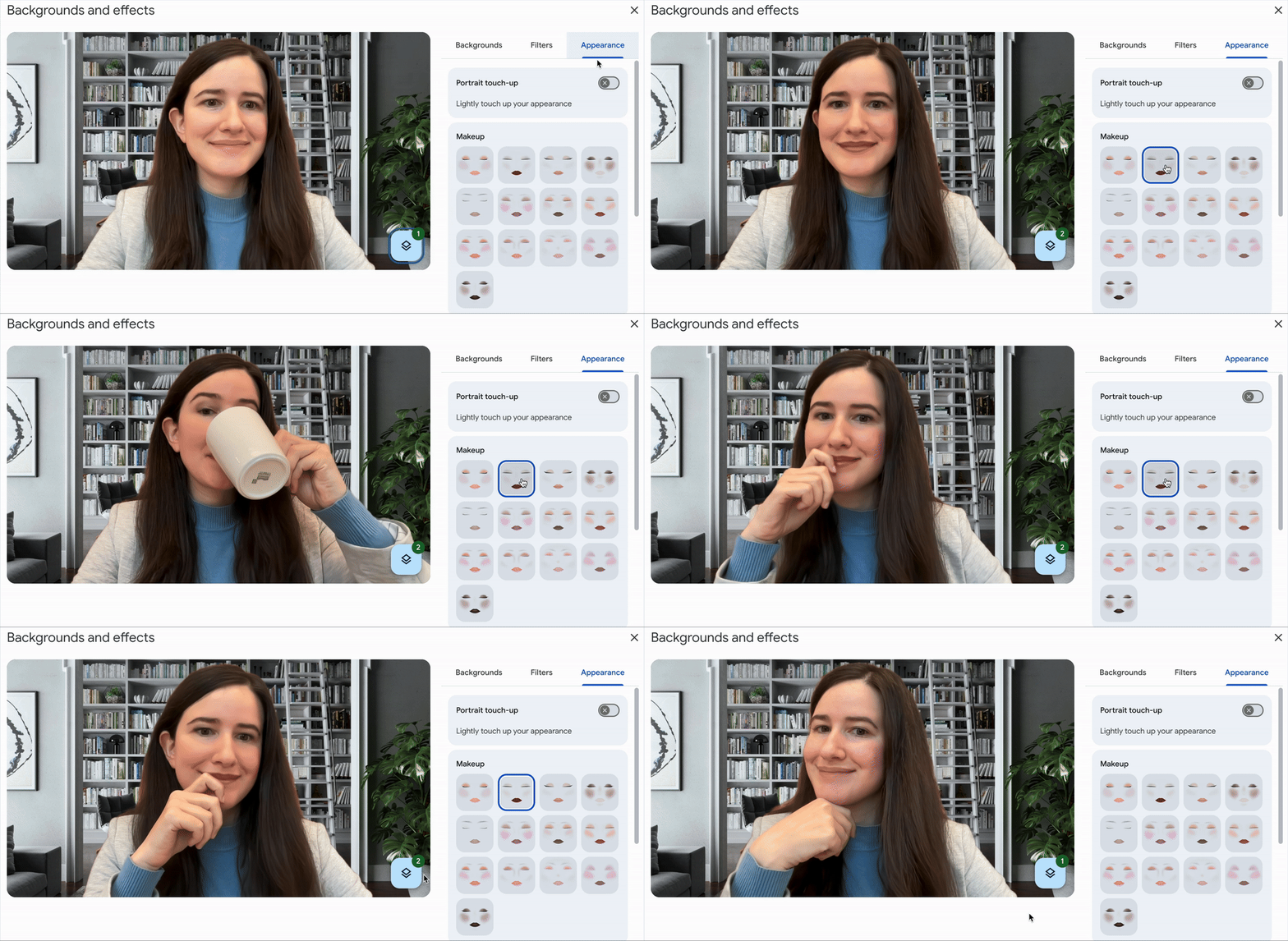
Seamless Experience Across Web and Mobile
Accessible on both mobile and web platforms, the AI-powered makeup feature is found under the “Appearance” section in Google Meet, beneath the Portrait Touch-up options introduced last year. The tool works in real time, responding to different lighting conditions and camera angles for a flawless finish. Google developed this as a practical upgrade to last year’s complexion smoothing and lighting tools, driven by user demand for subtle, non-cartoonish video enhancements.
Who Gets Access and How to Use It
Initially, the feature is rolling out to subscribers of Google Workspace Business Standard and Plus, Enterprise editions, Education Plus, and Google One premium plans. It is disabled by default but can be easily enabled before or during a video call—plus, Google Meet will remember your preferred makeup style for future meetings.
Users simply select their preferred AI-powered makeup look, and the system will instantly apply the effect, delivering a confident onscreen appearance within seconds—no need for a last-minute makeup rush or costly products.

How to Enable Google Meet AI-Powered Makeup
The feature is off by default — but easy to activate.
You can turn it on before or during a video meeting:
- Go to Settings → Appearance → Portrait touch-up
- Choose a makeup style that suits your mood
- Click Apply and voilà — you’re meeting-ready
Once you’ve picked your style, Google Meet will remember your preferences for future calls.
AI-Powered Makeup Is Shaping the Future of Video Calls
More than just a beauty tool, this update highlights Google’s ongoing commitment to user convenience and technological leadership. The AI-powered makeup feature not only makes video meetings more accessible and less stressful but also showcases the potential of artificial intelligence in enhancing everyday digital experiences.