Creating one TikTok slideshow takes time. Creating one every day — with consistent visuals, on-brand images, trending music, and automatic posting — sounds like a full-time job.
It doesn’t have to be.
In this guide, you’ll learn how to build a workflow that takes a single topic and a reference image and turns them into a complete, published TikTok slideshow — automatically, with music, on a schedule. Once it’s set up, you configure it once and let it run. This is exactly how to automate TikTok slideshows without touching them by hand every time.
Let’s break it down step by step.
What You’re Building
At its core, this is a four-stage content pipeline:
- Generate — OpenAI creates the slide prompts, captions, and post title in a single API call
- Render — Replicate’s Nano Banana model generates the actual images using those prompts
- Assemble — Blotato packages the slides into a slideshow and adds trending music
- Publish — Blotato posts the finished slideshow directly to TikTok
The key unlock in this entire system is the reference image. Instead of generating random, inconsistent visuals, you drop in one photo — your product, your dog, your founder, your brand asset — and every slide in the slideshow is generated to stay visually consistent with it. That consistency is what makes the output look intentional rather than AI-generated, and it’s what keeps your TikTok content on-brand at scale.
This is n8n TikTok automation done properly — not just uploading pre-made content, but generating it from scratch in a fully automated pipeline.
Tools You Need and Why Each One Matters
Before building the workflow, here’s a quick overview of every tool in the stack and what role it plays:
- n8n — Open-source workflow automation. Self-hostable, highly flexible, and ideal for developers who want full control. The community node library makes it easy to connect to almost anything.
- Make.com — Visual no-code workflow builder. Easier for beginners, with a drag-and-drop interface and a generous free tier to get started.
- OpenAI — Generates the slide prompts, post captions, and video titles in one structured API call. You’ll need an OpenAI API key.
- Replicate — Pay-per-use image generation platform. The workflow uses the Nano Banana model, which is optimized for fast, consistent image output using a reference image as an anchor.
- Blotato — The posting layer. Blotato handles slideshow assembly, auto-adds trending music, and publishes directly to TikTok (and other platforms). It’s built specifically for this kind of AI TikTok content automation use case.
You’ll need accounts and API keys for OpenAI, Replicate, and Blotato. n8n or Make.com handles the orchestration layer — pick one based on your comfort level.
Step-by-Step: Automate TikTok Slideshows with Make.com Workflow
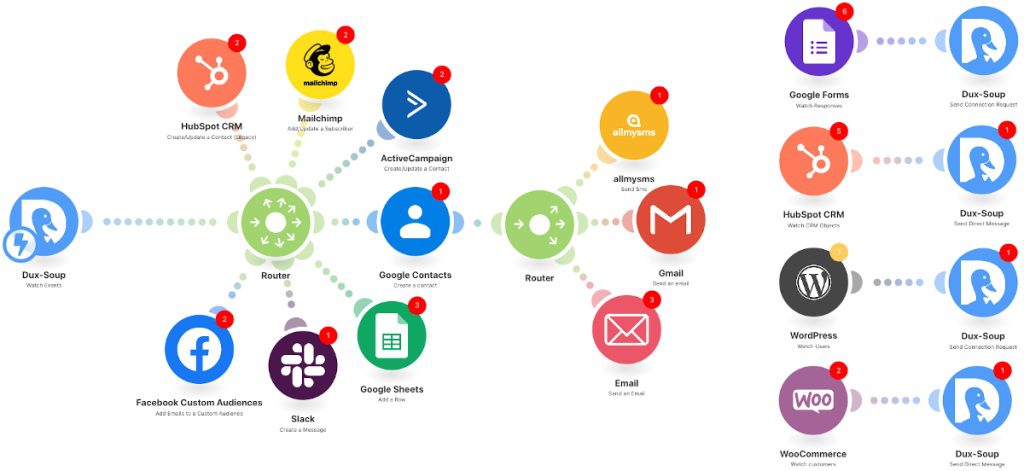
The Make.com version is the best starting point if you’re new to workflow automation. Here’s how the full flow works.
Step 1: The OpenAI System Prompt
The first node in the workflow is an OpenAI API call. This is where the intelligence happens — one single prompt generates everything the rest of the pipeline needs.
The system prompt instructs OpenAI to output a structured JSON containing:
- A post title for TikTok
- A caption for the post
- An array of image generation prompts — one per slide — that describe the visual for each scene
The key to making this work is structuring the prompt output as clean JSON so the rest of the workflow can parse it without errors. Every slide gets its own dedicated image prompt, which gets passed individually to Replicate in the next step.
For your reference image, you pass it into the same OpenAI call as a style anchor. OpenAI uses it to frame the tone and visual direction for the prompts it generates, which feeds directly into Replicate’s consistency engine downstream.
Step 2: Generating Images With Replicate + Nano Banana
Once OpenAI has generated the slide prompts, each one gets passed to Replicate’s Nano Banana model for image generation.
Nano Banana is specifically designed for reference-image-consistent generation — meaning it uses your original photo as a visual anchor and produces images that match its style, subject, and color palette. This is what keeps your dog looking like your dog, your product looking like your product, and your brand palette consistent across every single slide.
The Make.com workflow sends each image prompt to Replicate in sequence, collects the returned image URLs, and passes them all into Blotato as an ordered array. This is the core of what makes Make.com social media automation for TikTok actually scalable — it’s not just one image, it’s a full visual sequence, generated in minutes.
Step 3: Connecting Blotato for Auto-Posting
Once the images are generated and ready, Blotato takes over. This node in the workflow:
- Assembles the individual images into a TikTok slideshow format
- Automatically selects and applies trending music from TikTok’s library
- Posts the finished slideshow directly to your TikTok account
No manual assembly. No downloading, re-uploading, or formatting. The Blotato API handles all of it and returns a confirmation once the post is live.
For your first run, enable only one social platform in Blotato and test with that before turning on additional channels.
The n8n Version: Same Workflow, Different Builder
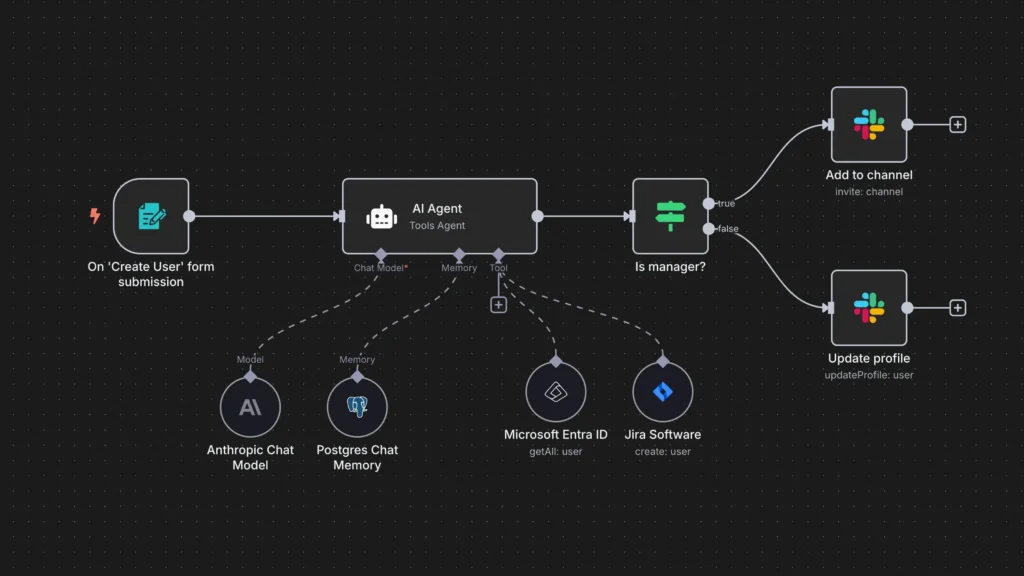
If you prefer n8n — either for its open-source flexibility or because you’re already running other workflows there — the logic is exactly the same. The nodes perform identical functions:
- An OpenAI node handles the system prompt and JSON output
- An HTTP Request node (or Replicate community node) calls the image generation API
- A Blotato node (available as a verified community integration) handles assembly and posting
The n8n version is slightly more technical to set up — you’ll need to handle JSON parsing manually in some nodes — but it gives you more granular control over error handling, retries, and data transformation. For teams self-hosting n8n, this is often the preferred path for n8n TikTok automation at scale.
Auto-Music and Scheduling
Two features that elevate this workflow from useful to genuinely powerful.
Trending music is applied automatically by Blotato. Rather than manually browsing TikTok’s audio library and licensing music for each post, Blotato pulls from trending tracks natively — matching your content to audio that’s already performing well on the platform. This matters because TikTok’s algorithm significantly favors slideshows that use trending sounds.
Scheduling is handled at the trigger level in both n8n and Make.com. Add a Schedule node at the start of the workflow and set your preferred frequency — once a day, three times a week, whatever fits your content calendar. From that point on, the entire pipeline runs automatically on that schedule without any manual intervention.
Configure once, run forever. That’s the promise of AI TikTok automation — and this workflow delivers it.
How to Adapt This for Any Niche
The workflow is built around a pet slideshow as the demo, but it’s intentionally niche-agnostic. The reference image is the only variable that changes.
Here’s how different creators and businesses can adapt it:
- E-commerce brands — Drop in a product photo. Every slide features your product in consistent, on-brand visual environments.
- Course creators — Use a headshot or brand graphic as the reference. Generate educational slideshow content at scale without designing each one.
- Agency portfolios — Swap in client assets. Build a separate workflow instance per client with their reference image and brand prompt.
- Pet accounts — The demo use case. One photo of your pet generates a full, consistent slideshow series.
- Personal brands — Use a lifestyle photo or brand color palette image as the anchor for consistent visual identity across all posts.
The OpenAI system prompt is where you customize the theme, tone, and content angle. Change the niche in the prompt, swap the reference image, and the entire output changes to match — without touching any other part of the workflow.
Frequently Asked Questions
Do I need coding experience to build this workflow?
No — especially with the Make.com version. If you’re comfortable using visual tools and following a step-by-step setup, you can build this without any code.
How much does this cost to run?
The main costs are API-based: OpenAI charges per token, Replicate charges per image generated, and Blotato has its own subscription tier. n8n has a free self-hosted option; Make.com has a free tier with limited monthly operations. For a daily posting schedule generating 5–8 slides per slideshow, most creators report costs under $10–15 per month across the full stack.
Can I post to platforms other than TikTok?
Yes. Blotato supports multiple platforms, including Instagram, YouTube, Facebook, Pinterest, and others. Once your TikTok workflow is working correctly, you can enable additional Blotato posting nodes for other channels — turning one automation into a full multi-platform content machine.
What is Replicate Nano Banana and why use it?
Nano Banana is an image generation model available on Replicate that specializes in reference-image-consistent generation. It’s faster and more cost-efficient than many alternatives, and it’s specifically optimized for the kind of visual consistency this workflow requires — keeping your subject, style, and color palette stable across multiple generated images.
What happens if a node fails mid-workflow?
Both n8n and Make.com have error handling built in. In n8n, you can add error trigger nodes to catch failures and send notifications. In Make.com, you can configure error routes and retry behavior at the scenario level. For a production workflow, it’s worth setting up a simple error notification to alert you if a run fails before it reaches the posting step.
Conclusion
Building a TikTok content machine used to require a video editor, a designer, and hours of manual work every week. With the right automation stack, it now requires a single reference image, one well-structured OpenAI prompt, and a workflow you set up once.
That’s exactly what this automate TikTok slideshows build delivers. Topic in, published slideshow out — on brand, with trending music, on a schedule, without you lifting a finger after the initial setup.
Whether you run it in n8n or Make.com, the core workflow is the same: OpenAI generates the creative direction, Replicate renders the visuals, and Blotato handles the rest. Pick your platform, follow the steps, and you’ll have your first automated slideshow live in under an hour.