If you’ve been holding off on using Claude Code because of the price tag — plans range from $17/month all the way up to $200/month — there’s now a legitimate way to use it completely free. The trick involves routing Claude Code through OpenRouter, a gateway that gives you access to dozens of AI models, including several capable free-tier ones. No subscription. No credit card. Just a bit of configuration.
In this guide, you’ll learn exactly how to set it up, which free models are worth using, and three practical tips for building real apps with this setup.
What Is Claude Code (And Why Is It Expensive)?
Claude Code is Anthropic’s command-line coding assistant. Unlike typical chat interfaces, it works directly in your terminal, reads your codebase, writes and edits files, runs commands, and helps you ship real software — not just snippets. It’s one of the most capable AI coding tools available.
The catch? It’s powered by Anthropic’s API, which bills per token. Heavy usage adds up fast, and the subscription plans reflect that. For solo developers, students, or anyone just exploring, those costs can be a real barrier.
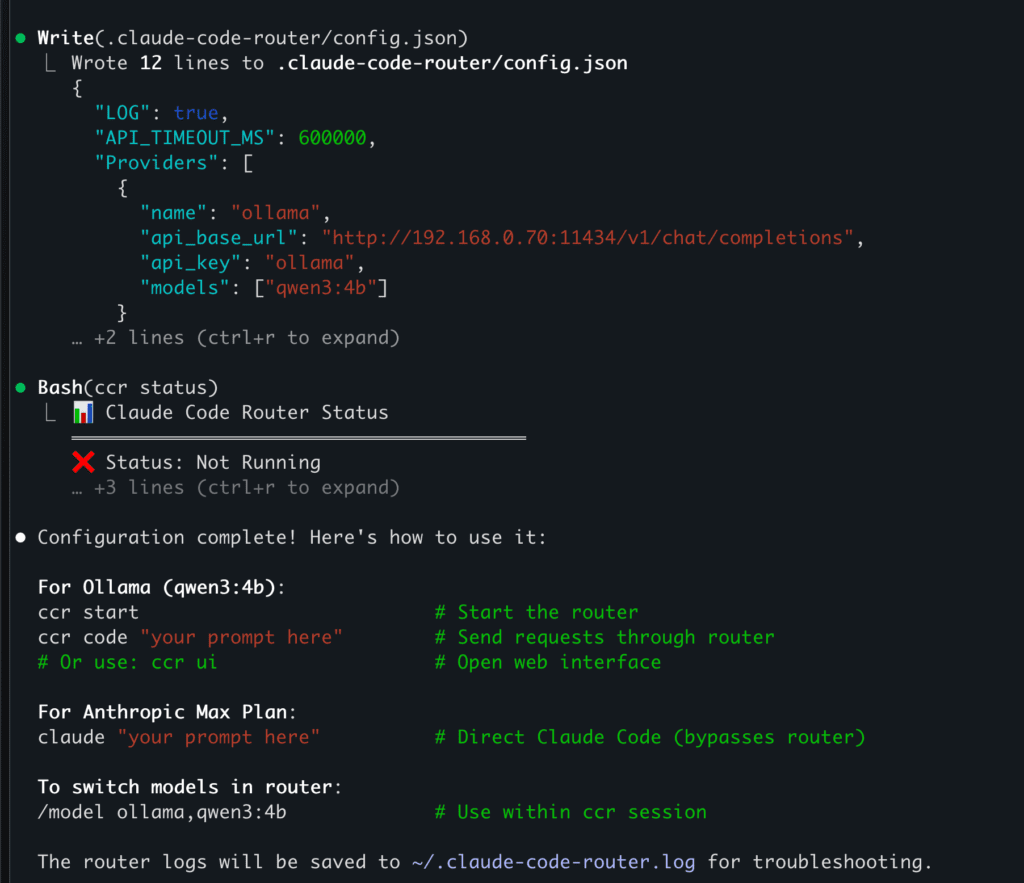
The OpenRouter Workaround
OpenRouter is an API gateway that routes requests to many AI providers through a single unified endpoint — and crucially, it exposes an API that is fully compatible with Anthropic’s API format. That compatibility is the key to this whole setup.
When you point Claude Code at OpenRouter instead of Anthropic’s servers, it continues to work exactly as it normally would — same interface, same commands, same workflow — but the requests go through OpenRouter’s free model tier instead of paid Claude models.
The free tier on OpenRouter includes some genuinely capable models:
- Meta Llama 3.3 70B Instruct — strong reasoning, great for complex coding tasks
- Google Gemma 3 27B — solid structured instruction-following
- Qwen3 8B — fast and surprisingly good at code
- Mistral 7B Instruct — lightweight and quick
Free models do come with rate limits (typically around 20 requests per minute and 200 requests per day per model), but for most individual development sessions, these limits are workable. If you hit them, you can rotate between models to keep going.
Step-by-Step Setup
Step 1: Install Claude Code
If you haven’t installed Claude Code yet, open your terminal and run the appropriate command for your system.
macOS / Linux / WSL:
curl -fsSL https://claude.ai/install.sh | bash
Windows PowerShell:
irm https://claude.ai/install.ps1 | iex
Once installed, verify it works by running claude in your terminal. You should see the initial setup screen.
Step 2: Create a Free OpenRouter Account
Head to openrouter.ai and sign up for a free account. No credit card is needed for the free tier. Once you’re in, navigate to Keys in your dashboard and generate a new API key. Copy it somewhere accessible.
Step 3: Configure Your Environment
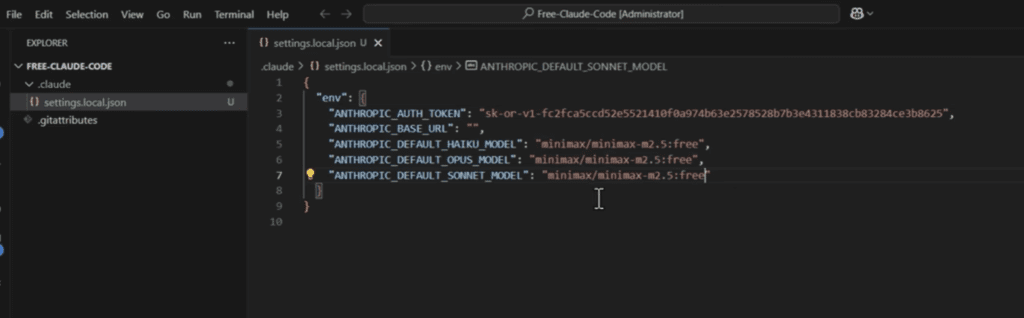
This is where the magic happens. You need to tell Claude Code to send its requests to OpenRouter instead of Anthropic. Do this by setting a few environment variables in your shell profile.
Open your shell profile for editing:
nano ~/.zshrc # or ~/.bashrc if you use Bash
Add these lines:
export OPENROUTER_API_KEY="your-openrouter-api-key-here"
export ANTHROPIC_BASE_URL="https://openrouter.ai/api"
export ANTHROPIC_AUTH_TOKEN="$OPENROUTER_API_KEY"
export ANTHROPIC_API_KEY=""   # Must be explicitly empty
Save and restart your terminal (or run source ~/.zshrc) for the changes to take effect.
Important: The ANTHROPIC_API_KEY must be set to an empty string — not just unset. If it’s unset, Claude Code may fall back to trying Anthropic’s servers and fail with an auth error.
If you were previously logged in with an Anthropic account, run /logout inside a Claude Code session first to clear cached credentials.
Step 4: Select a Free Model
By default, Claude Code will try to use a Claude model — but since you’re now pointing at OpenRouter, you need to specify a compatible free model. Update your ~/.claude/settings.json file:
{
  "env": {
    "ANTHROPIC_BASE_URL": "https://openrouter.ai/api/v1",
    "ANTHROPIC_API_KEY": ""
  },
  "model": "meta-llama/llama-3.3-70b-instruct:free"
}
The :free suffix in the model ID is what unlocks the free tier on OpenRouter.
Step 5: Verify the Connection
Navigate to any project folder and launch Claude Code:
cd /path/to/your/project
claude
Inside the session, run /status to confirm the connection:
> /status
Auth token: ANTHROPIC_AUTH_TOKEN
Anthropic base URL: https://openrouter.ai/api
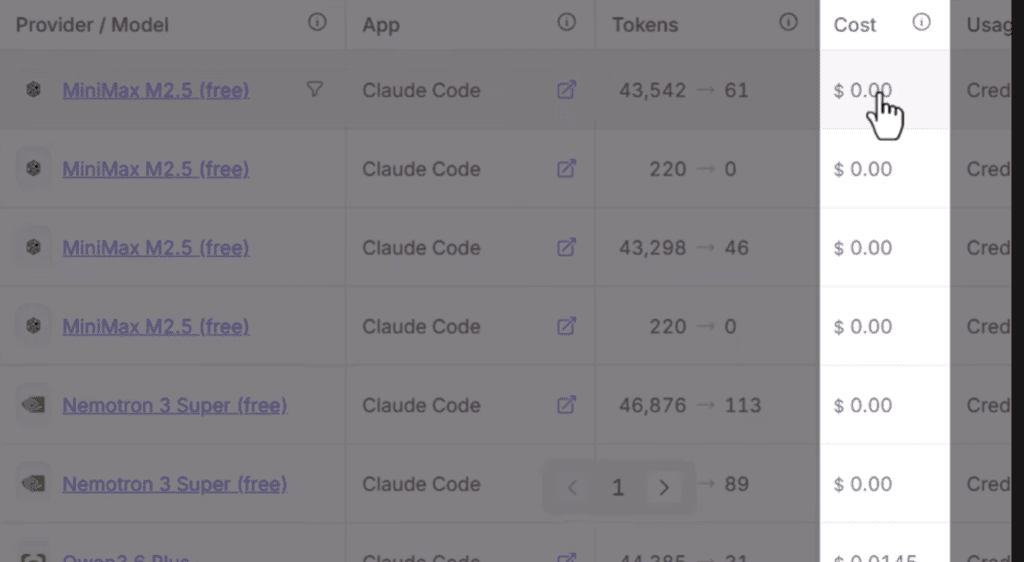
You can also check your OpenRouter Activity Dashboard to see requests as they appear in real time.
3 Tips for Building Real Apps With This Setup
Getting the free setup working is step one. Getting it to actually produce good results is step two. Here are three tips that make a significant difference.
Tip 1: Be Extremely Specific in Your Prompts
Free-tier models are capable, but they benefit more than premium models from clear, detailed instructions. Instead of “build me a dashboard,” try: “Build a React dashboard with a sidebar navigation, a main content area showing a bar chart of monthly revenue data, and a top bar with a search input. Use Tailwind CSS. No backend required — use mock data.”
The more context you provide, the better the output.
Tip 2: Break Large Tasks Into Smaller Chunks
Rather than asking Claude Code to build an entire app in one go, break the work into focused, sequential tasks. Build the data layer first. Then the UI components. Then wire them together. This approach works especially well with rate-limited free models because each task fits neatly within a single session without hitting limits.
Tip 3: Rotate Between Free Models
When you hit rate limits on one model, switch to another. OpenRouter makes this easy — just update the model field in your settings.json. Keep a list of two or three good free models handy and rotate between them during longer sessions. Llama 3.3 70B is great for heavier reasoning tasks, while Mistral 7B is faster for quick edits and completions.
What You Can Build
This setup is more capable than you might expect. Using it, you can build CardioFlow — a full web application for cardiovascular health tracking — entirely with free models through this setup. The combination of Claude Code’s agentic workflow with a strong free model like Llama 3.3 70B can handle real projects, not just toy examples.
Limitations to Keep in Mind
This setup is genuinely useful, but it’s worth being honest about what you’re trading away:
- Performance gap: Free models are not as capable as Claude Sonnet or Opus for complex multi-step reasoning and debugging.
- Rate limits: Daily and per-minute request caps mean very heavy usage sessions may stall.
- Optimization for Anthropic: Claude Code is designed for Anthropic’s models. Some advanced features may work better or only with official Claude models.
For lightweight to medium-complexity projects, this setup is excellent. For heavy-duty production work, you may eventually want to add some OpenRouter credits to access higher-rate or paid models.
Conclusion
The combination of Claude Code and OpenRouter’s free model tier is one of the most practical zero-cost setups available for AI-assisted development right now. The configuration takes under ten minutes, and once it’s working, you get a full terminal-based coding agent — reading your files, writing code, running commands — at no cost.
Whether you’re a solo developer, a student, or just someone who wants to explore what AI coding tools can do without committing to a subscription, this is worth setting up today.