
What if you could upload long reports or PDFs and instantly get accurate summaries, insights, or even AI-generated conversations—using only your sources? That’s the real power behind NotebookLM Use Cases.
Built by Google, NotebookLM is a source-grounded AI assistant that helps you research, think, and create with confidence. Unlike generic AI tools, it relies solely on the documents you upload, making it far more reliable for serious work.
Google calls it a way to “think with your documents,” prioritizing accuracy and context. In this guide, we’ll explore the most effective NotebookLM Use Cases and how they can streamline your workflow step by step.
What Is NotebookLM? A Quick Overview for Beginners
NotebookLM is a Google-built AI tool that works directly with your own documents. Instead of searching the web, it analyzes the files you upload—such as PDFs, Google Docs, and notes—and generates responses strictly based on those sources.
Think of NotebookLM as a personal AI research assistant. You add content, ask questions, and receive summaries or insights that stay grounded in your material, which is why many NotebookLM Use Cases are ideal for accuracy-focused work.
Why NotebookLM Stands Out
- Reduce hallucinations by using only your sources
- Enables NotebookLM content summarization for faster understanding
- Supports NotebookLM research analysis for evidence-based insights
- Allows NotebookLM podcast generation to repurpose documents into audio
This source-first design makes NotebookLM especially useful for students, researchers, creators, and professionals handling large volumes of information.
10 Top NotebookLM Use Cases That Transform Your Workflow
This is where NotebookLM truly shines. By combining source-grounded AI with flexible prompting, NotebookLM Use Cases help you move from information overload to clear, actionable insights—fast.
Below are the most impactful, real-world ways people are using NotebookLM today.
1. NotebookLM Content Summarization for Faster Understanding
One of the most popular NotebookLM Use Cases is breaking down large, complex documents into easy-to-digest summaries. Instead of reading dozens of pages, you can ask NotebookLM to extract the key points in seconds.
How it helps:
- Summarizes PDFs, research papers, blog posts, and reports
- Converts long content into bullet points or short briefs
- Highlights key arguments, data, and conclusions
This makes NotebookLM content summarization especially useful for students, bloggers, analysts, and executives who need quick clarity without losing context.
2. NotebookLM Research Analysis for Deeper Insights
When working with multiple documents, NotebookLM excels at identifying patterns, contradictions, and insights across sources. This is where NotebookLM research analysis becomes a serious advantage.
Use cases include:
- Academic literature reviews
- Market and competitor research
- SEO and content gap analysis
- Product or policy research
Because every insight is grounded in your uploaded sources, NotebookLM helps you make evidence-based decisions with confidence.
3. NotebookLM Podcast Generation from Documents
A standout feature is NotebookLM podcast generation, which turns written content into conversational audio. This opens new ways to consume and repurpose information.
Why this matters:
- Convert research notes into explainer-style podcasts
- Create audio study guides or revisions
- Repurpose blogs or reports into accessible content
For creators and educators, podcast generation extends the value of existing material without extra production work.
4. NotebookLM Use Cases for Content Creators & Bloggers
Content creators use NotebookLM to streamline research and maintain factual accuracy.
Popular workflows:
- Building article outlines from multiple sources
- Fact-checking AI-written drafts
- Repurposing content across blogs, newsletters, and podcasts
These NotebookLM Use Cases help creators publish faster—without sacrificing credibility.
5. NotebookLM Use Cases for Students & Educators
In education, NotebookLM reduces cognitive overload and improves comprehension.
Common uses:
- Summarizing lectures and textbooks
- Creating study guides and revision notes
- Generating practice questions from source material
This makes learning more efficient and focused.
6. NotebookLM for Business, Marketing & SEO Teams
For teams working with data and reports, NotebookLM acts as a centralized intelligence layer.
Applications include:
- Market research synthesis
- Competitive analysis from whitepapers
- SEO planning and topic clustering
- Internal knowledge base creation
These advanced NotebookLM Use Cases help teams align faster and act smarter.
7. Fact-Checked Long-Form Content Creation (Zero Hallucinations)
One of the most valuable NotebookLM Use Cases for bloggers and publishers is producing long-form content that stays accurate from start to finish.
How it works:
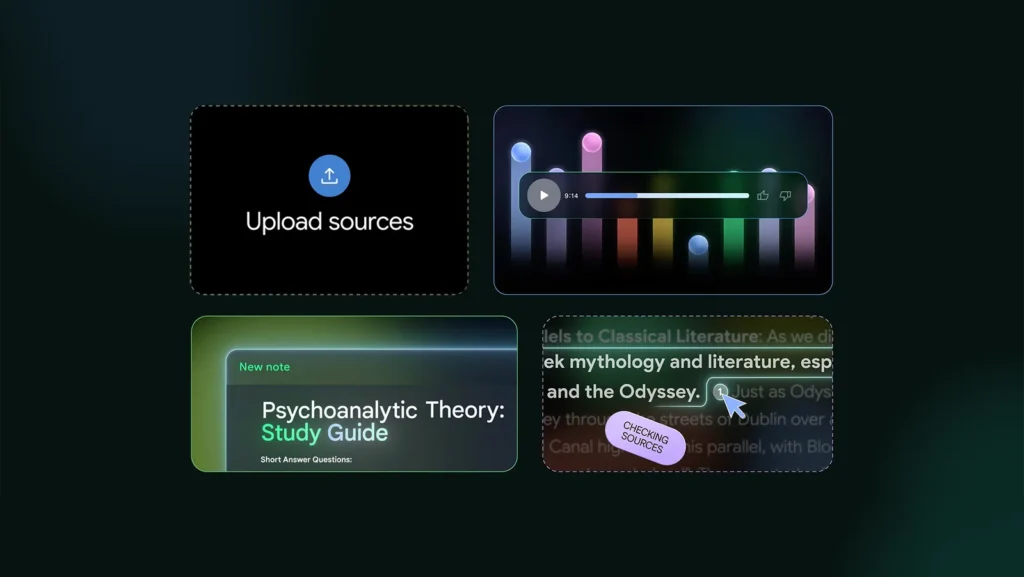
- Upload research papers, reference articles, and data sources
- Ask NotebookLM to draft sections based only on those inputs
- Request inline source references for verification
This approach combines NotebookLM content summarization with controlled generation, making it ideal for:
- SEO articles
- Thought leadership posts
- Technical or data-driven content
It significantly reduces the risk of AI hallucinations while speeding up content production.
8. Legal, Policy & Compliance Document Analysis
NotebookLM is exceptionally useful for reviewing dense legal or policy documents where accuracy is non-negotiable.
Use cases include:
- Summarizing contracts, policies, or regulations
- Comparing clauses across multiple documents
- Identifying risks, exceptions, or missing provisions
Because outputs are grounded in uploaded sources, NotebookLM research analysis works well for compliance teams, legal researchers, and policy analysts who need clarity without interpretation drift.
9. Meeting Intelligence & Decision Tracking
Meetings generate massive amounts of unstructured data—NotebookLM helps turn that into action.
Workflow:
- Upload meeting transcripts, notes, or recordings (via text)
- Ask NotebookLM to extract:
- Key decisions
- Action items
- Open questions
You can then convert outputs into SOPs, summaries, or follow-up documents, making this one of the most practical NotebookLM Use Cases for managers and remote teams.
10. Personal Knowledge Base & Second Brain System
NotebookLM can function as a living “second brain” for professionals managing large knowledge archives.
How people use it:
- Upload notes, articles, books, and ideas over time
- Ask cross-document questions
- Generate summaries, insights, or creative connections
When paired with NotebookLM podcast generation, users can even revisit their own knowledge as audio—ideal for reflection, learning, and idea incubation.
Image Credit: Google
Best Practices to Maximize NotebookLM Use Cases
To get consistently high-quality results from NotebookLM Use Cases, how you use the tool matters just as much as what it can do. These best practices help you extract clearer insights, reduce errors, and build repeatable workflows.
1. Curate Your Sources Before Uploading
NotebookLM is only as good as the material you feed it.
Best practices:
- Upload relevant, high-quality, and up-to-date sources
- Remove duplicate or low-value documents
- Group related documents into focused notebooks
Clean inputs dramatically improve NotebookLM content summarization and research accuracy.
2. Start Broad, Then Go Specific
Avoid jumping straight into complex prompts.
Effective prompting sequence:
- Ask for a high-level summary
- Request key themes or patterns
- Drill down with targeted questions
This layered approach helps NotebookLM research analysis surface insights progressively instead of overwhelming you with information.
3. Assign a Clear Role to NotebookLM
One underrated tactic is role prompting.
Examples:
- “Act as a market analyst”
- “Act as a growth strategist”
- “Act as a university professor”
This framing improves tone, depth, and relevance—especially when creating SOPs, reports, or training material.
4. Use Follow-Up Questions to Find Blind Spots
NotebookLM excels at reflective analysis when prompted correctly.
Try questions like:
- “What assumptions are being made here?”
- “What evidence is missing?”
- “Where do these sources disagree?”
These prompts elevate NotebookLM Use Cases from simple summaries to critical thinking support.
5. Combine Formats for Better Retention
Text alone isn’t always optimal.
High-retention workflow:
- Start with written summaries
- Generate mind maps for structure
- Use NotebookLM podcast generation for passive learning
This multi-format approach improves understanding and recall, especially for complex topics.
6. Generate in Sections, Not All at Once
For long outputs:
- Break requests into smaller sections
- Review and refine each part
- Then assemble the final document
This keeps NotebookLM content summarization accurate and avoids generic or diluted responses.
7. Export and Integrate Into Your Existing Tools
NotebookLM works best as part of a broader system.
You can:
- Export docs to Google Docs
- Send tables to Google Sheets
- Repurpose outputs into slides, blogs, or podcasts
This turns individual NotebookLM Use Cases into scalable workflows.
By following these best practices, NotebookLM becomes more than an AI tool—it becomes a reliable thinking partner that adapts to your workflow.
Common Mistakes to Avoid When Using NotebookLM
While NotebookLM Use Cases are powerful, results can suffer if the tool is used incorrectly. Avoiding these common mistakes will help you maintain accuracy, clarity, and efficiency in your workflows.
1. Uploading Too Many Unrelated Sources
More documents don’t always mean better results.
Why it’s a problem:
- Dilutes context
- Produces vague or unfocused summaries
- Weakens NotebookLM research analysis
Fix:
Create separate notebooks for distinct topics or projects to keep insights sharp and relevant.
2. Treating NotebookLM Like a General Chatbot
NotebookLM isn’t designed for open-ended web knowledge.
Common mistake:
Asking questions without providing sufficient source material.
Fix:
Upload high-quality documents first, then build questions around them to unlock accurate NotebookLM content summarization.
3. Skipping Source Review
Even though outputs are source-grounded, blind trust is risky.
What to avoid:
- Copy-pasting insights without checking references
- Ignoring context or nuance
Best practice:
Skim the cited sections to validate conclusions—especially for research, legal, or business use cases.
4. Using Vague or One-Line Prompts
Generic prompts lead to generic results.
Instead of:
“Summarize this.”
Try:
“Summarize the key arguments, supporting data, and limitations in bullet points.”
Clear prompting improves all NotebookLM Use Cases, especially analysis-heavy workflows.
5. Ignoring Follow-Up Questions
The first response is rarely the best one.
NotebookLM becomes significantly more powerful when you:
- Ask clarifying questions
- Challenge assumptions
- Request alternative interpretations
This iterative approach strengthens NotebookLM research analysis and insight quality.
6. Overlooking Audio and Visual Features
Many users underutilize:
- Mind maps
- Visual explainers
- NotebookLM podcast generation
These formats improve comprehension and retention—especially for learning and training workflows.
7. Expecting Perfection in a Single Pass
NotebookLM works best iteratively.
Fix:
Refine outputs step by step rather than expecting flawless results in one prompt. This mindset dramatically improves long-form and strategic NotebookLM Use Cases.
By avoiding these mistakes, you’ll get cleaner insights, more reliable outputs, and better ROI from NotebookLM.
Conclusion: Why NotebookLM Use Cases Matter
Information overload is the real productivity problem—and NotebookLM Use Cases are built to solve it. Instead of generic AI responses, NotebookLM works directly with your sources, turning documents into clear insights and actionable knowledge.
With NotebookLM content summarization, NotebookLM research analysis, and NotebookLM podcast generation, it supports how people actually research, learn, and create. Accuracy, context, and trust are baked into every output.
As the tool evolves, NotebookLM will move beyond productivity into true decision support. If your work depends on understanding information faster and better, NotebookLM Use Cases are worth adopting now.


The “second brain” angle resonates. I like the idea of continuously adding notes/articles and then revisiting insights later—especially when paired with audio overviews for passive review.
I’m right there with you! The ‘second brain’ concept really comes alive when you can just drop in a messy pile of links and get a cohesive summary back. Have you tried using the audio overviews for commute listening yet? It’s surprisingly effective for retention.