

WordPress.com has introduced a built-in WordPress AI assistant, giving website owners a new way to design, edit, and manage their sites using natural language commands. The new feature, launched by Automattic, works directly inside the platform’s editor and understands a website’s content and layout, allowing users to make changes without manual configuration.
The move highlights WordPress’s push to simplify website management while integrating AI-powered automation into everyday workflows.
WordPress AI Assistant Enables Natural Language Site Editing
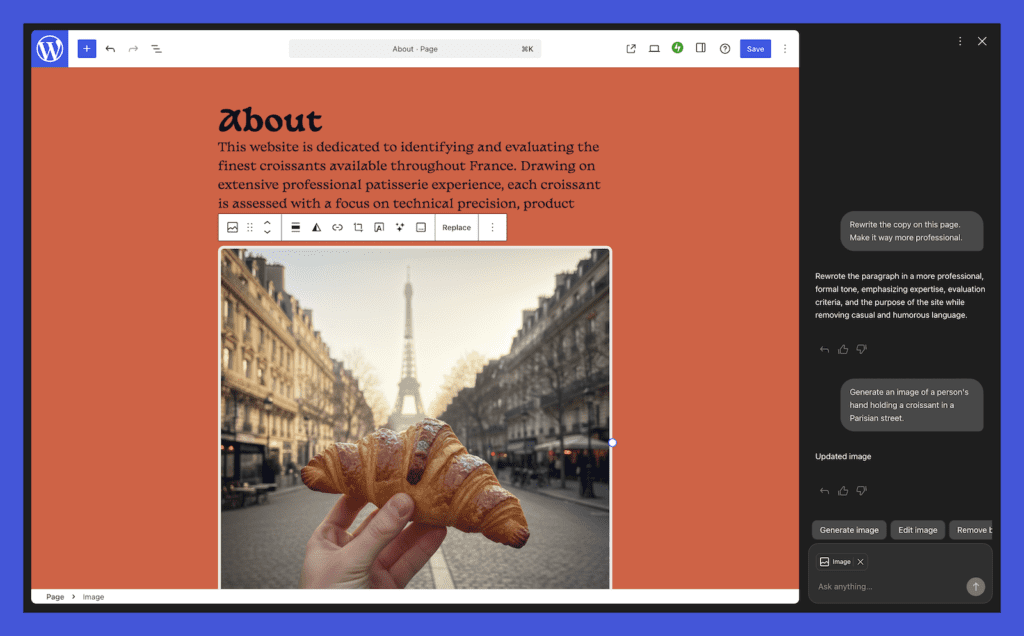
The WordPress AI assistant allows users to modify their website’s layout, design, and structure simply by describing what they want. Instead of writing complex prompts or manually adjusting elements, site owners can use everyday language to implement changes.
Users can issue instructions such as making a page feel more modern, adjusting color schemes, or refining typography styles. The assistant applies these changes instantly and displays the results in real time.
The feature also supports structural modifications. Users can ask the AI to add new sections — such as contact pages or testimonials — directly into the site layout. However, WordPress confirmed that the assistant currently works with block themes and does not support classic themes.
Content Editing, Translation, and Writing Support
Beyond design changes, the WordPress AI assistant functions as a content editor. Website owners can request rewrites, improve tone, or translate text into different languages.
The assistant can also suggest headlines, perform grammar checks, and provide fact-checking support. These capabilities integrate with the block notes editor introduced in WordPress 6.9, enabling collaborative editing workflows.
Users can activate the assistant within the editor by typing “@ai” followed by a request. The AI then responds with suggestions, relevant links, and contextual recommendations.
AI Image Generation and Visual Editing Tools
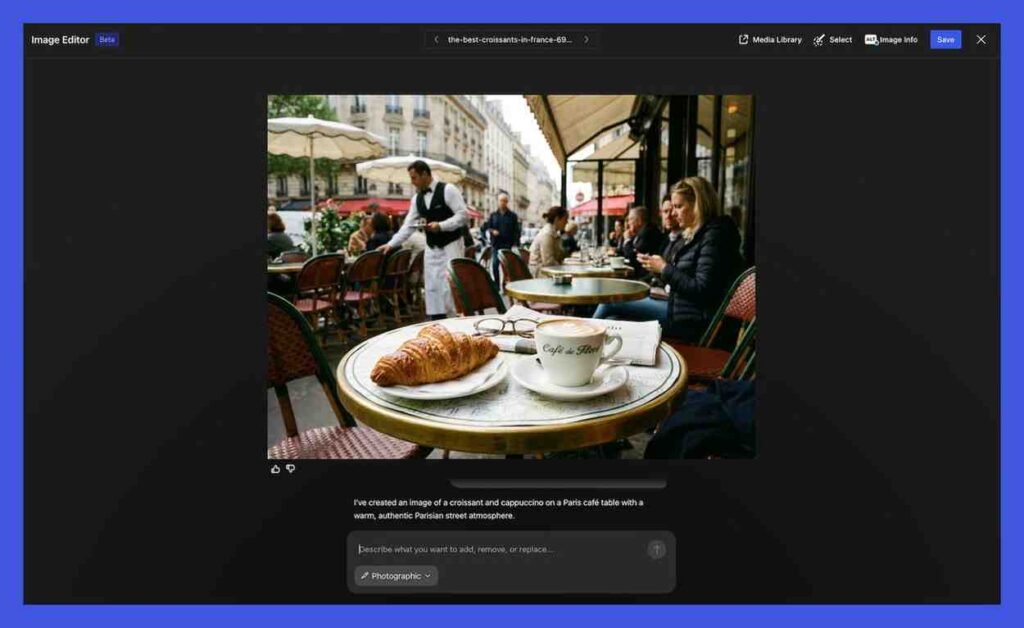
The WordPress AI assistant also includes visual creation capabilities. Using Google Gemini’s Nano Banana AI models, the tool can generate new images or edit existing ones.
Through a “Generate Image” option in the Media Library, users can specify image styles, formats, and aspect ratios. This enables faster visual customization without relying on external design tools.
The image generation feature expands WordPress’s effort to offer an all-in-one content creation environment powered by artificial intelligence.
How to Enable the WordPress AI Assistant
The WordPress AI assistant is an optional feature that users can enable manually. To activate it, site owners must access their site settings, navigate to AI tools, and switch on the assistant.
Users who build websites using WordPress’s AI website builder will have the feature enabled automatically.
By embedding AI directly into the platform’s editing environment, WordPress aims to make website creation more accessible and efficient for both beginners and experienced developers.
What This Means for Website Creators
The launch of the WordPress AI assistant signals a broader shift toward AI-driven website management. By combining automated design adjustments, content editing, and image generation within a single interface, WordPress is positioning its platform as a smarter, more intuitive publishing ecosystem.
The update simplifies complex tasks while allowing creators to focus on content and user experience rather than technical implementation.

Don’t miss out on our latest news—follow us for the latest AI news, breakthroughs, and insights that matter.