

Chrome AI Coworker for Work is Google’s latest move to turn the browser into a smarter workplace assistant, bringing Gemini-powered automation and new security controls to enterprise users.
Announced during Google Cloud Next, the update introduces “auto browse” capabilities for Chrome in the workplace. With this feature, Gemini can understand the live context of open browser tabs and help complete web-based tasks such as booking travel, entering data, scheduling meetings, and other repetitive workflows.
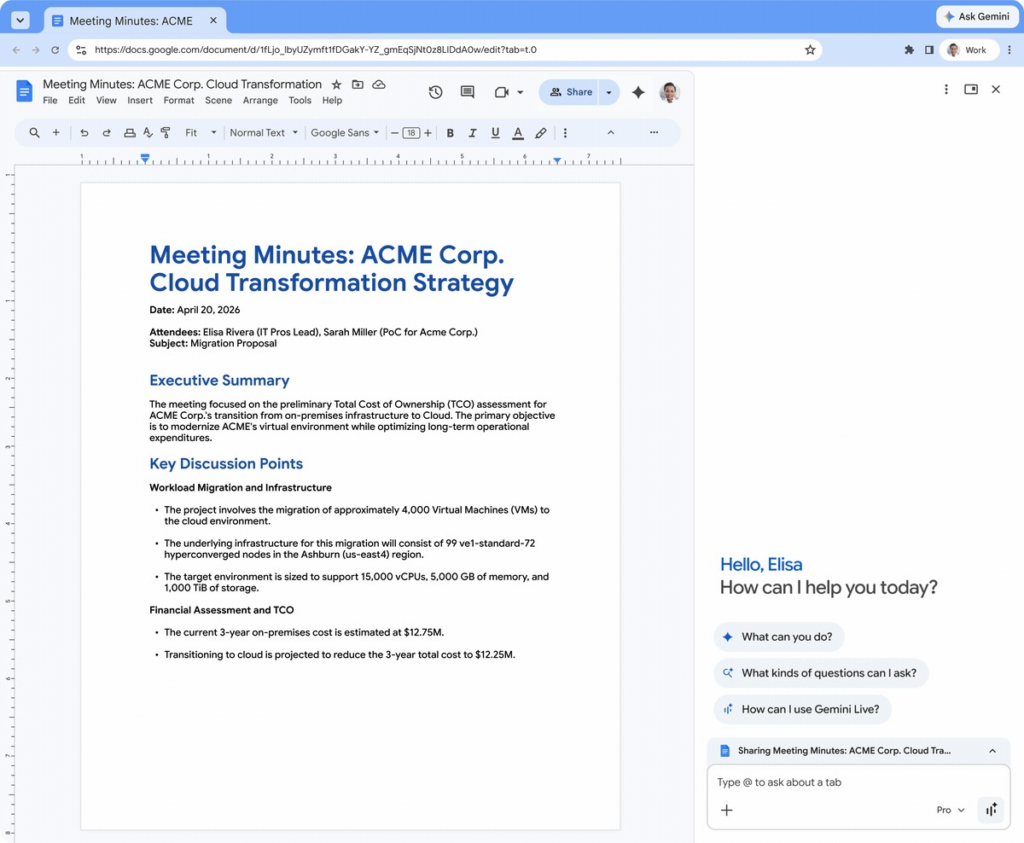
Chrome AI Coworker for Work Adds Auto Browse Automation
The biggest feature in the Chrome AI Coworker for Work rollout is auto browse.
Google said users can rely on Gemini to handle tasks such as transferring information from a Google Doc into a company CRM, comparing vendor pricing across tabs, reviewing a candidate portfolio before an interview, or extracting key details from a competitor product page.
The company also noted that every workflow will still keep a human in the loop. Users must review and confirm any AI-generated input before final actions are completed.
Built to Save Time on Repetitive Tasks
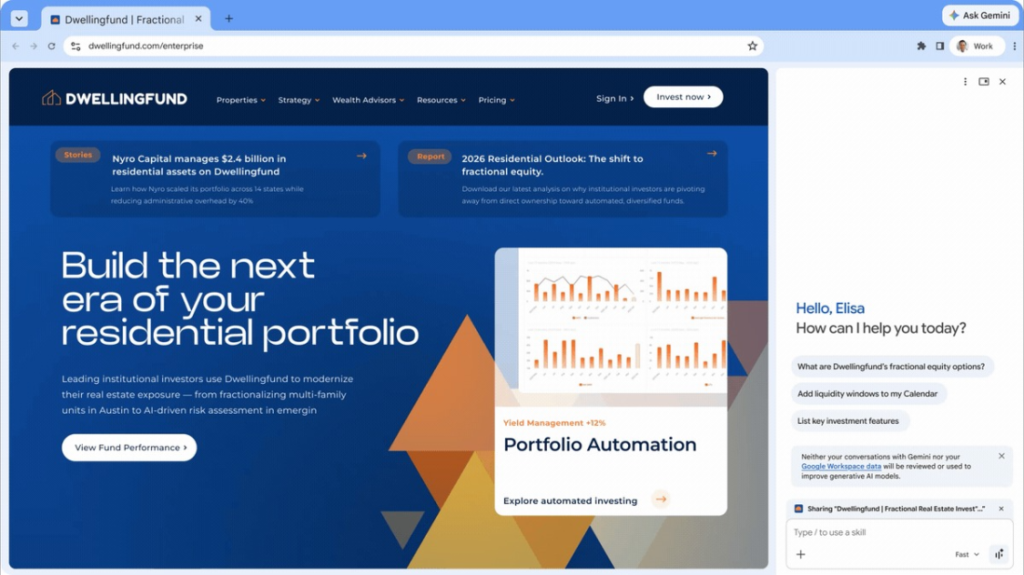
Google’s pitch is simple: let AI take over routine digital work so employees can spend more time on strategic tasks.
The company is positioning Chrome AI Coworker for Work as a productivity layer inside one of the most-used enterprise applications — the web browser. The feature will initially be available to Workspace users in the United States and can be enabled through company policy settings. Google also said organizational prompts will not be used to train its AI models.
Saved Workflows Through Skills
Like the consumer version of the feature, enterprise users will be able to save recurring workflows as “Skills.”
These saved automations can be launched by typing a forward slash or selecting the plus icon. That means common tasks can be reused quickly without repeating the same instructions each time.
Security Features Expand for IT Teams
Beyond productivity, Google is also adding new oversight tools through Chrome Enterprise Premium.
The company said IT teams will gain visibility into compromised browser extensions, risky AI services, and what it calls anomalous agent activity. It is also expanding “Shadow IT risk detection,” giving administrators insight into both sanctioned and unsanctioned generative AI and SaaS usage across the organization.
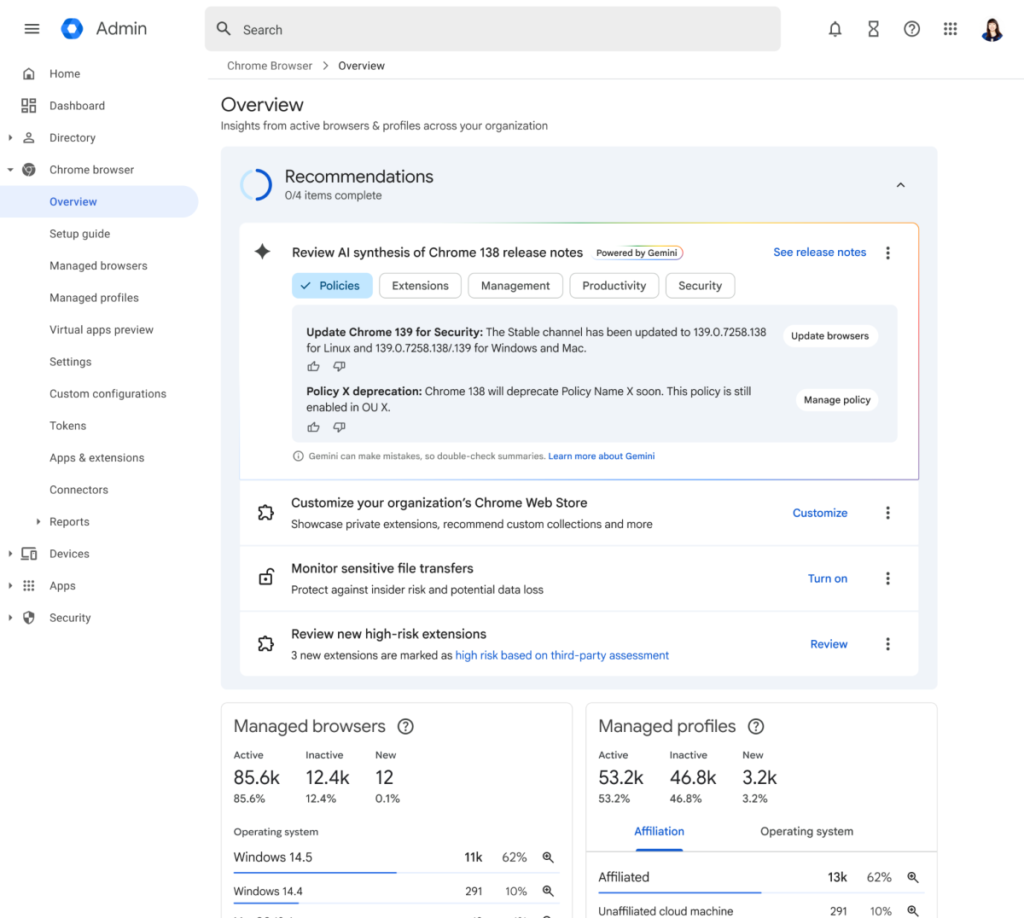
Google is also adding Gemini-generated summaries of Chrome Enterprise release notes, highlighting critical changes, new policies, and upcoming deprecations, along with setup recommendations for managed browsers.
Expanded Security Partnerships
Google further announced a deeper partnership with Okta to strengthen the agentic workplace.
The updates include protections designed to reduce session hijacking, stronger extension controls, and Microsoft Information Protection integration to help organizations apply consistent security policies.
Why It Matters
Chrome AI Coworker for Work shows that browsers are evolving from simple access tools into active productivity platforms.
By combining automation, saved workflows, and enterprise security controls, Google is making Chrome a central part of how workplace AI could be deployed at scale.
Don’t miss out on our latest news—follow us for the latest AI news, breakthroughs