Imagine directing a cinematic scene with nothing but a text prompt — no cameras, no crew, just your vision. That’s what Google Veo 3.1 makes possible. With this advanced AI video generator, you can now create cinematic videos in minutes, blending storytelling and technology like never before.
Built on Google DeepMind’s latest model, Veo 3.1 delivers realistic camera motion, natural lighting, and scene control that rivals professional filmmaking. It’s part of Google’s growing suite of AI filmmaking tools, giving creators—from YouTubers to marketers—the ability to produce movie-quality content effortlessly. Along the way, I’ll link to official resources like Google’s Flow filmmaking tool and Veo documentation so you can try features directly in Gemini, Flow, or Vertex AI.
In this guide, we’ll explore how to create cinematic videos using Google Veo 3.1, step by step. You’ll learn what sets it apart, how to write effective prompts, and how to turn your ideas into visually stunning short films.
What Is Google Veo 3.1?
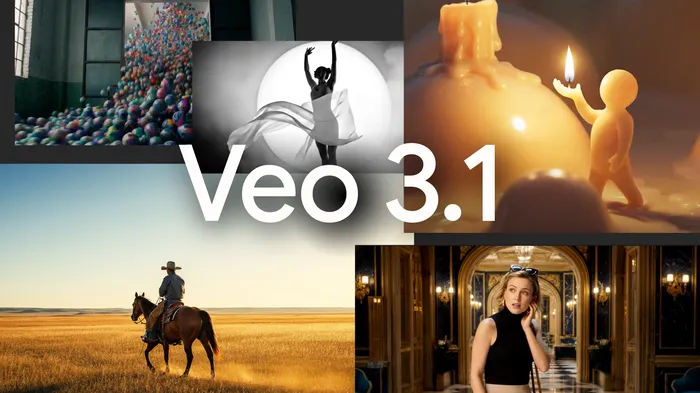
Google Veo 3.1 is the latest evolution of Google’s powerful AI video generator, designed to turn written prompts into cinematic, high-definition videos. Unveiled by Google DeepMind, Veo 3.1 pushes the boundaries of cinematic video creation with AI, offering professional-grade motion, realistic lighting, and storytelling dynamics—all powered by deep learning.
Unlike earlier AI video tools, Veo 3.1 understands how a camera moves, how lighting affects emotion, and how shots should flow. This enables it to generate visuals that look like they were filmed by an expert cinematographer. It can create 4K-quality video clips with smooth transitions, dramatic depth of field, and lifelike scenes—all from a simple text description.
Veo 3.1 is part of Google’s broader ecosystem of AI filmmaking tools, including Google Labs for experimentation and DeepMind for research innovation. This integration means creators can soon expect access through platforms like Google Photos, YouTube Shorts, and Gemini Studio, making it easier than ever to produce cinematic visuals without complex software or advanced editing skills.
Key Highlights of Google Veo 3.1
- Realistic Camera Control: Simulates pans, zooms, and drone shots dynamically.
- Scene-Level Editing: Adjust lighting, weather, and character movement mid-generation.
- Text-to-Video Precision: Understands cinematic language like “slow-motion aerial shot at sunset.”
- 4K Output Quality: Delivers film-grade visuals suitable for professional production.
In short, Google Veo 3.1 AI video generator is not just an editing tool—it’s a creative partner that helps anyone create cinematic videos with ease and imagination.
Key Features That Make Google Veo 3.1 a Game-Changer
What makes Google Veo 3.1 revolutionary is its ability to think like a filmmaker. Instead of just generating motion, this AI video generator understands cinematic intent — camera angles, lighting, and emotional tone — to help you effortlessly create cinematic videos that feel authentic.
1. Realistic Camera Movements
Veo 3.1 adds life to your shots with smooth pans, zooms, and drone-like motions—making your AI-generated films look professionally directed.
2. Advanced Lighting & Atmosphere
From golden-hour warmth to noir-style contrast, Veo fine-tunes light, color, and shadows automatically for that perfect cinematic mood.
3. Smart Scene Understanding
Describe a scene like “a traveler in the rain,” and Veo adds details such as reflections, puddles, and ambient depth—capturing real-world context effortlessly.
4. Seamless Google Filmmaking Tools
Fully integrated with Gemini Studio, Flow, and AudioFX, Veo 3.1 enables script-based video generation, editing, and sound syncing—all within Google’s creative suite.
5. 4K Ultra-HD Output
Veo 3.1 delivers crystal-clear 4K visuals ready for any platform—from YouTube reels to film festivals—without the need for extensive post-editing.
In essence, Google Veo 3.1 combines cinematic intelligence with creative freedom, making high-end filmmaking accessible to everyone.
Why Use Google Veo 3.1 to Create Cinematic Videos
In a world where content is king, visuals are what make stories unforgettable. Whether you’re a filmmaker, YouTuber, or digital marketer, Google Veo 3.1 gives you the power to create cinematic videos that captivate audiences—without expensive equipment or years of training.
1. Democratizes Filmmaking
Veo 3.1 removes technical barriers. With a simple text prompt, anyone can generate movie-quality shots with realistic lighting, motion, and emotion—making cinematic AI videos accessible to all.
2. Faster, Smarter, More Realistic
Compared to tools like Runway ML or Pika Labs, Veo 3.1 creates more lifelike scenes using DeepMind’s advanced motion and diffusion models—capturing film-like realism and depth.
3. Integrated Workflow
Veo works seamlessly with Google’s Gemini Studio and Flow, offering a complete ecosystem to write, generate, and edit cinematic content—all in one space.
4. Optimized for Every Platform
From YouTube Shorts to cinematic ads, Veo 3.1 delivers 4K visuals and fast rendering, ensuring creators get both quality and speed.
5. Future-Proof Creativity
Built for the next era of filmmaking, Veo 3.1 enhances creativity through automation—empowering filmmakers rather than replacing them.
Google Veo 3.1 bridges the gap between imagination and cinematic reality. If you’ve ever dreamed of producing stunning visuals without a studio or film crew, this is your moment to start creating cinematic videos with AI—and redefine what’s possible.
Step-by-Step Guide: How to Create Cinematic Videos Using Google Veo 3.1
Creating a cinematic masterpiece with AI has never been easier. Whether you’re crafting a YouTube short, a brand video, or a short film, Google Veo 3.1 AI video generator gives you complete creative control — from concept to final export.
Follow this simple, beginner-friendly walkthrough to start your journey in cinematic video creation with AI.
Step 1: Access Google Veo 3.1
Currently, Google Veo 3.1 is available to a limited group through Google Labs. You can sign up or request early access using your Google account. Once approved, you’ll be able to experiment directly within Gemini Studio or the Veo dashboard.
Tip: Keep an eye on Google’s official blog and DeepMind updates — public access is expected to roll out soon for creators worldwide.
Step 2: Choose a Video Concept or Script
Start with a simple idea — a travel story, a product demo, or even a sci-fi teaser. Then write a short text prompt describing what you envision.
Example Prompt:
“A cinematic drone shot of mountains at sunrise, soft golden light, calm orchestral music, and slow camera movement.”
Veo understands cinematic language, so the more descriptive and specific you are, the better your results.
Step 3: Input Your Text Prompt
Paste your prompt into the text box within the Google Veo 3.1 interface. You can also upload a reference image or short clip for visual consistency.
The AI interprets your request and begins cinematic video creation with AI, applying lighting, camera angles, and motion cues automatically.
Step 4: Customize Scene Settings
Once the initial draft is generated, you can refine your video using Google Veo filmmaking tools. Adjust the:
- Scene duration and pacing
- Lighting tone (warm, cool, dramatic)
- Camera perspective and movement
- Background music and ambient sound
These adjustments help shape your visual story to match your creative intent.
Step 5: Generate and Edit
Click “Generate Video” to produce your scene. Within minutes, Veo renders a preview clip in HD or 4K, depending on your settings.
If you want more control, switch to Flow, Google’s editing interface, where you can trim scenes, adjust transitions, or modify the prompt mid-generation.
Step 6: Export and Share
When you’re satisfied, export your final video. Veo supports MP4, MOV, and 4K Ultra-HD formats. You can instantly upload to YouTube, TikTok, or Google Drive from within the interface.
Pro Tip: Add captions, subtitles, and a cinematic soundtrack before publishing to enhance storytelling impact.
By following these steps, you can easily create cinematic videos using Google Veo 3.1 that look and feel like they were filmed by a professional production team — all powered by AI.
Expert Tips to Enhance Your AI Cinematic Creations
Even with a tool as powerful as Google Veo 3.1 AI video generator, small tweaks can elevate your videos from good to extraordinary. Here’s how to get the most out of AI cinematic creation:
1. Be Detailed with Prompts
Specific prompts help Veo capture your vision:
- Camera movements (“slow tracking shot”)
- Lighting & mood (“warm sunset glow”)
- Environment details (“misty mountains with rivers”)
Tip: Use cinematic language, like a director’s notes.
2. Combine AI with Post-Editing
Veo produces polished clips, but minor tweaks in DaVinci Resolve or Adobe Premiere Pro can enhance color, sound, and pacing for a professional finish.
3. Leverage Sound & Music
Audio boosts engagement. Use orchestral, ambient, or cinematic tracks. Veo integrates with AudioFX, or import your own audio for richer storytelling.
4. Experiment with Angles & Styles
Mix perspectives—overhead, low-angle, or first-person shots. Combining styles adds depth and visual interest for a true cinematic feel.
5. Iterate and Refine
Generate multiple versions, tweak prompts, and refine scenes. This trial-and-error approach mirrors professional filmmaking, now enhanced by AI.
Following these tips lets you maximize Veo 3.1’s power, producing cinematic videos that are creative, polished, and audience-ready.

Common Mistakes to Avoid When Creating Cinematic Videos
Even with a powerful AI tool like Google Veo 3.1, beginners can make mistakes that reduce the cinematic quality of their videos. Avoid these pitfalls to ensure your cinematic video creation with AI is smooth and professional.
1. Vague Prompts
A prompt like “mountains at sunset” won’t give the same cinematic impact as “slow drone shot over misty mountains at sunrise with golden light and soft orchestral music.”
Tip: Be detailed and descriptive to guide Veo’s AI effectively.
2. Ignoring Lighting and Mood
Lighting defines emotion. Skipping adjustments or relying solely on default AI settings can result in flat, unrealistic visuals. Always tweak tone, shadows, and highlights for cinematic depth.
3. Overcomplicating Scenes
Adding too many elements—characters, objects, or effects—can confuse the AI and create cluttered visuals. Keep each scene focused for maximum impact.
4. Skipping Post-Editing
Even though Veo 3.1 generates polished content, minor refinements in editing software improve pacing, transitions, and color grading. Skipping this step can make videos feel unfinished.
5. Not Testing Multiple Versions
AI is iterative. Relying on a single generation often leads to missed opportunities. Test several prompts and refine scenes to discover the most cinematic result.
By avoiding these common mistakes, you can fully harness Google Veo 3.1 AI video generator to create cinematic videos that impress and engage audiences.
Real Examples: AI-Generated Cinematic Videos with Google Veo 3.1
Seeing real results is the best way to understand the power of Google Veo 3.1 AI video generator. Across social platforms and tech showcases, creators have already begun sharing stunning examples of cinematic video creation with AI — all produced in minutes using simple text prompts.
Example 1: “The City Awakens” – Urban Cinematic Sequence
Created entirely with Google Veo 3.1, this short film captures a sunrise over a futuristic city. The AI perfectly syncs lighting transitions, reflections, and ambient motion — achieving the look of a professionally shot time-lapse.
Prompt Example: “A cinematic aerial shot of a neon-lit city transitioning from night to dawn, with soft background music and slow zoom out.”
Example 2: “Nature’s Breath” – A Scenic Outdoor Clip
A creator used Veo to depict mist rolling over green valleys at sunrise. With natural lighting, smooth camera panning, and soft color tones, the clip looks indistinguishable from a drone-captured scene.
Prompt Example: “Aerial view of misty mountains at sunrise, golden light, slow cinematic drone movement.”
Example 3: AI Storytelling Short – “The Dreamwalker”
This experimental piece blends narrative and visual storytelling. Veo 3.1 generated realistic character motion and atmospheric depth, showing its potential for AI-assisted filmmaking.
Prompt Example: “A dreamlike forest with glowing lights, a person walking slowly through fog, soft ambient music, cinematic lighting.”
Where to Watch These Examples
You can explore AI-generated cinematic clips made with Veo 3.1 on:
- Google Labs Showcase – Official experimental projects
- DeepMind YouTube Channel – AI research visuals
- Reddit AI Filmmaking Community – User-generated short films
These examples prove that Google Veo filmmaking tools can turn text prompts into breathtaking, emotionally resonant visuals — redefining how creators create cinematic videos in the age of AI.
The Future of Cinematic Video Creation with AI
The rise of AI video tools like Google Veo 3.1 marks a new era for filmmakers, creators, and marketers. What once required costly equipment and large teams can now be done with a simple text prompt—reshaping how stories are told on screen.
1. Democratizing Filmmaking
Veo empowers everyone—from solo YouTubers to small studios—to create Hollywood-quality visuals without massive budgets. It levels the playing field, giving independent creators access to cinematic storytelling once reserved for big productions.
2. Human–AI Collaboration
The future of filmmaking isn’t AI replacing directors—it’s AI co-creating with them. Directors can describe scenes in natural language, then refine tone, pacing, and lighting, turning Veo into an intelligent creative partner.
3. Expanding Across Industries
Google Veo’s potential goes far beyond film:
- Advertising: Rapid concept videos and storyboards
- Education: Realistic visual learning aids
- Gaming: Dynamic, AI-generated cutscenes
- Tourism & Architecture: Immersive previews of real locations
4. The Rise of Hyper-Realistic AI Films
Each Veo update pushes realism further, blending cinematic language with lifelike detail. Soon, full-length AI-generated films could become mainstream—delivering rich storytelling, humanlike motion, and stunning visual fidelity.
Google Veo 3.1 signals the dawn of a creative revolution—where human imagination and AI innovation unite to redefine the future of filmmaking.

Conclusion & Key Takeaways
Creating cinematic videos is no longer limited to big studios or expert editors. With Google Veo 3.1 AI video generator, anyone can now create cinematic videos that look professional and emotionally captivating.
This breakthrough tool combines the power of AI filmmaking with human creativity, allowing you to turn text prompts into visually stunning video scenes in minutes.
Key Takeaways:
- Google Veo 3.1 makes cinematic video creation easy through AI-driven text-to-video technology.
- It produces realistic visuals, smooth camera motion, and cinematic lighting with minimal effort.
- Perfect for creators, marketers, and filmmakers aiming for professional-quality content.
- AI filmmaking tools like Veo are shaping the future of creative storytelling.
With a few smart prompts and imagination, you can create cinematic videos that capture attention and redefine visual storytelling.