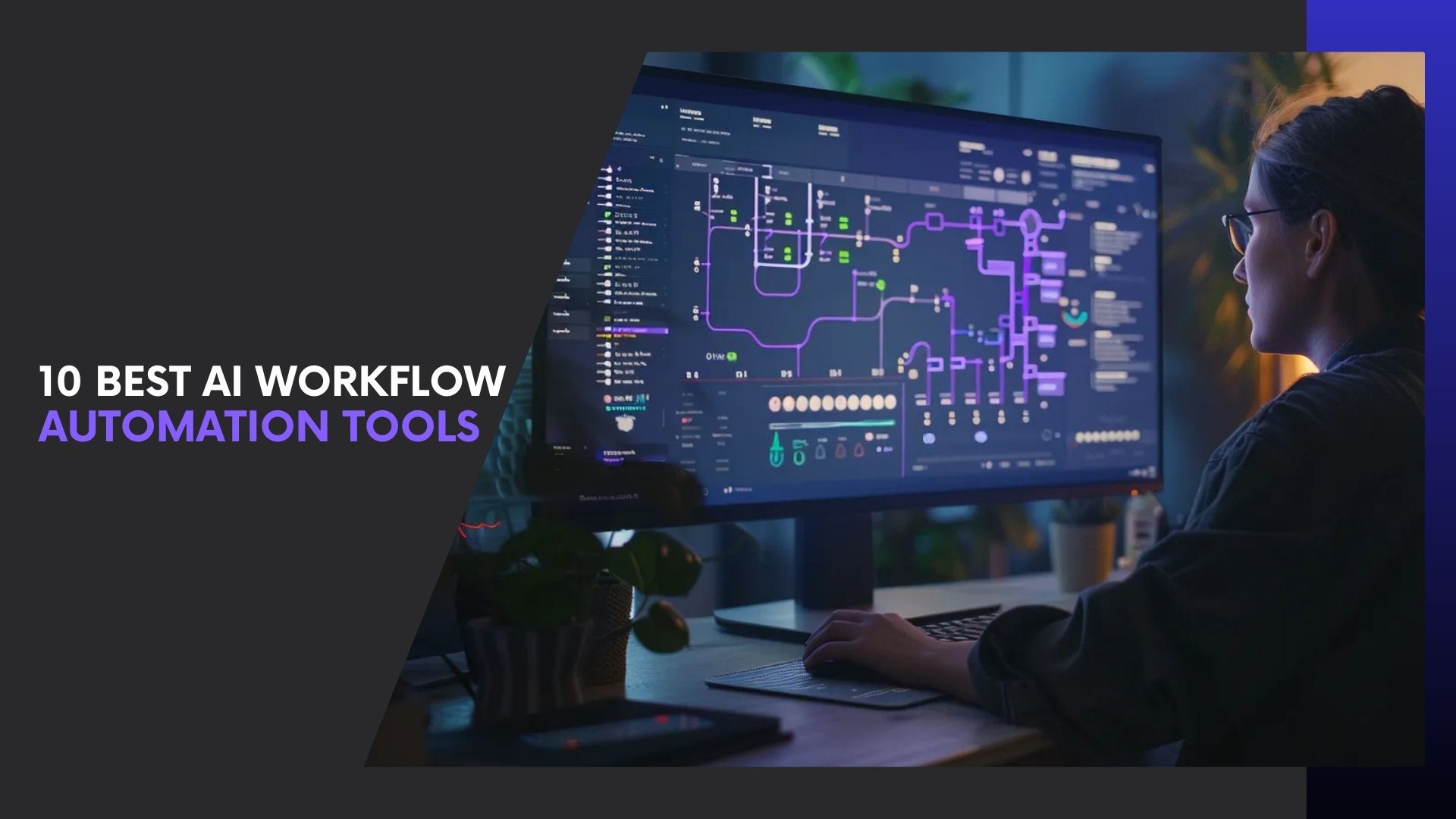
Businesses today can’t afford slow, manual processes. That’s why AI workflow automation tools are quickly becoming a must-have, not a nice-to-have.
Unlike traditional automation, workflow automation software with AI can analyze data, adapt to changes, and make smart decisions automatically. This allows companies to save time, reduce errors, and scale faster using the best AI automation tools for business workflows. Research highlighted by McKinsey shows that AI-driven automation significantly boosts productivity across teams.
In this guide, we’ll cover real AI workflow automation examples and use cases, and review the 10 best AI workflow automation tools to help you automate smarter and grow faster.
What Are AI Workflow Automation Tools?
AI workflow automation tools are software platforms that use artificial intelligence to automate, manage, and optimize business processes with minimal human intervention. Unlike basic automation, these tools don’t just follow fixed rules—they learn from data, make decisions, and improve over time.
Traditional automation works on “if-this-then-that” logic. In contrast, workflow automation software with AI uses technologies like machine learning, natural language processing (NLP), and predictive analytics to handle complex, dynamic workflows. This allows businesses to automate not only repetitive tasks but also decision-heavy processes.
In simple terms, AI workflow automation tools help businesses:
- Connect apps and systems seamlessly
- Automate multi-step workflows intelligently
- Predict outcomes and suggest next actions
- Reduce manual effort while increasing accuracy
This is why many companies now rely on the best AI automation tools for business workflows to manage everything from marketing campaigns and sales pipelines to customer support and internal operations.
Why Businesses Are Rapidly Adopting AI Workflow Automation
The growing adoption of AI workflow automation tools is driven by one simple reason—measurable business impact. Companies need faster, smarter ways to operate, and AI-powered automation delivers exactly that.
Unlike manual processes, workflow automation software with AI can adapt, learn from data, and optimize workflows in real time. This allows businesses to reduce effort while improving outcomes.
Key Benefits Fueling Adoption
- Time savings: Automates repetitive and decision-based tasks
- Cost reduction: Fewer errors and lower operational overhead
- Higher accuracy: AI minimizes human mistakes
- Easy scalability: Scale workflows without expanding teams
- Better decisions: Predictive insights enable proactive actions
Industry insights from Gartner show that businesses using AI-driven workflows experience faster productivity gains and improved efficiency.
This is why organizations increasingly rely on the best AI automation tools for business workflows to stay competitive and future-ready.
Key Features to Look for in AI Workflow Automation Tools
When choosing AI workflow automation tools, focus on capabilities that directly improve efficiency, intelligence, and scalability. The most effective workflow automation software with AI includes the following essentials:
- AI-powered decision making – Analyzes data and chooses the best action automatically
- Intelligent triggers & conditions – Starts workflows based on patterns, not just fixed rules
- No-code / low-code builder – Enables non-technical teams to create workflows easily
- Deep integrations & API support – Connects smoothly with CRMs, marketing, finance, and internal tools
- Predictive analytics & insights – Identifies bottlenecks and optimizes workflows proactively
- Security & scalability – Ensures safe automation as your business grows
These features separate basic automation from the best AI automation tools for business workflows.
AI Workflow Automation Examples and Use Cases
Here’s how businesses are using AI workflow automation tools in real-world scenarios. These AI workflow automation examples and use cases highlight the impact of workflow automation software with AI across key functions:
- Marketing: Automates lead scoring, campaign personalization, and email workflows
- Sales & CRM: Prioritizes leads, schedules follow-ups, and improves deal forecasting
- Customer Support: Routes tickets, analyzes sentiment, and resolves common queries automatically
- HR & Recruitment: Screens resumes, schedules interviews, and automates onboarding
- Finance & Operations: Processes invoices, manages approvals, and detects anomalies
These use cases explain why companies rely on the best AI automation tools for business workflows to scale faster and operate more efficiently.
10 Best AI Workflow Automation Tools (Reviewed)
Below is a more detailed, yet concise breakdown of the first three AI workflow automation tools, keeping clarity, SEO, and real-world usefulness in focus.
1. Zapier

Best for: Small businesses, solopreneurs, and marketing teams
Zapier is one of the most widely used AI workflow automation tools, designed to connect apps and automate repetitive tasks without coding. Its AI-powered features help users build workflows faster by suggesting triggers, actions, and logic automatically. With support for 6,000+ integrations, Zapier is ideal for teams that want quick wins without technical complexity.
Key features:
- AI-suggested workflows and automation logic
- 6,000+ app integrations
- No-code workflow builder
- Smart field mapping and task optimization
As workflow automation software with AI, Zapier is perfect for lightweight business automation.
Pricing: Freemium model with paid plans starting around $29.99/month, scaling by task volume and team features.
2. Make (Formerly Integromat)
Best for: Advanced users and complex workflows
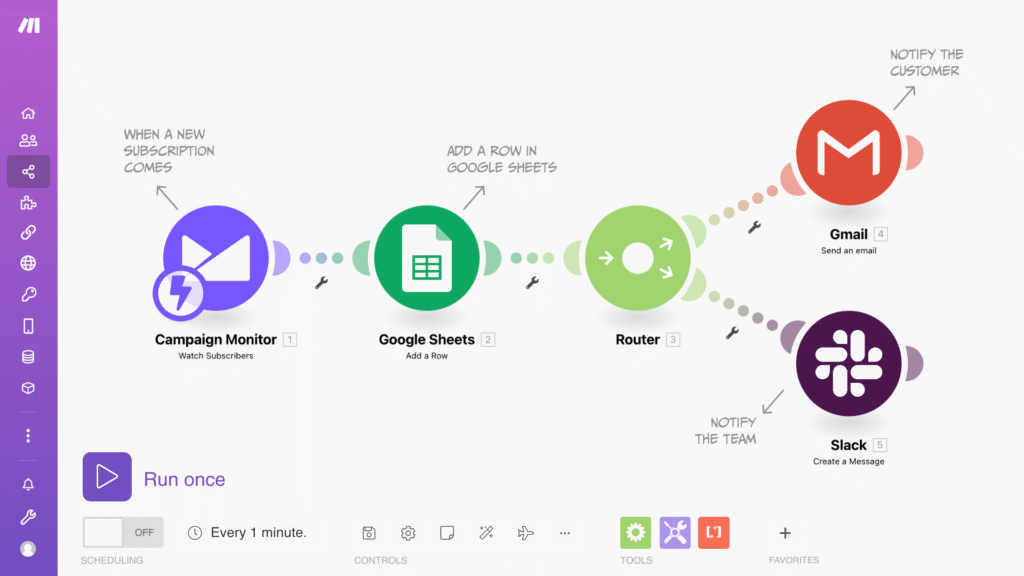
Make is a powerful visual platform built for creating sophisticated automations. Unlike basic tools, it allows users to design multi-step workflows with advanced logic, making it one of the best AI automation tools for business workflows that require flexibility and control.
Key features:
- Visual drag-and-drop workflow editor
- AI-powered data handling and transformation
- Advanced conditional logic and branching
- Real-time workflow monitoring
As an advanced AI workflow automation tool, Make is ideal for agencies and scaling businesses.
Pricing: Free tier plus paid plans starting at about $9/month, priced primarily by monthly operations and feature tier.
3. Peltarion
Best for: AI-first and data-driven organizations
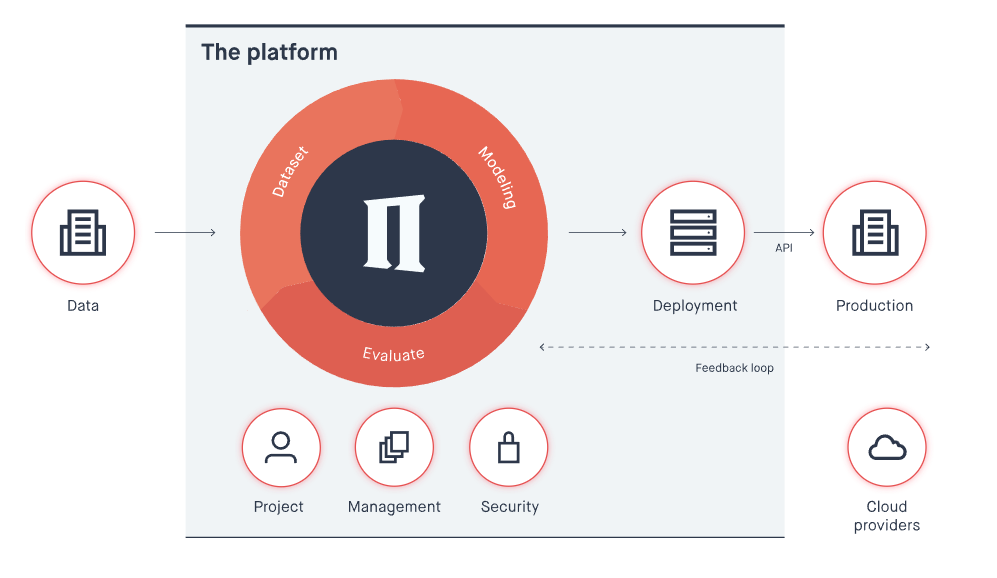
Peltarion focuses on embedding machine learning directly into workflows, making it a powerful AI workflow automation tool for predictive and decision-based processes. It enables businesses to deploy AI models without deep data science expertise.
Key features:
- Machine learning-driven workflow automation
- No-code AI model training and deployment
- Predictive analytics and decision intelligence
- Scalable AI pipelines
Peltarion excels in advanced AI workflow automation examples and use cases like forecasting and anomaly detection.
Pricing: Commercial SaaS with custom/quote-based pricing focused on enterprise AI projects (no current public price list).
4. Microsoft Power Automate

Best for: Microsoft-centric businesses and enterprises
Microsoft Power Automate is a robust AI workflow automation tool built for organizations already using Microsoft 365, Dynamics, and Azure. Its AI Builder allows businesses to add intelligence—such as form processing, text recognition, and predictions—directly into workflows.
As workflow automation software with AI, Power Automate excels at automating approvals, document handling, and internal processes across departments. The deep integration with Microsoft’s ecosystem makes it one of the best AI automation tools for business workflows in enterprise environments.
Key features:
- AI Builder for intelligent automation
- Deep Microsoft 365 and Azure integration
- No-code and low-code workflow creation
- Secure, enterprise-grade compliance
Pricing: Per‑user and pay‑as‑you‑go model, with AI Builder charged as add‑on credits on top of standard Power Automate licenses.
5. UiPath
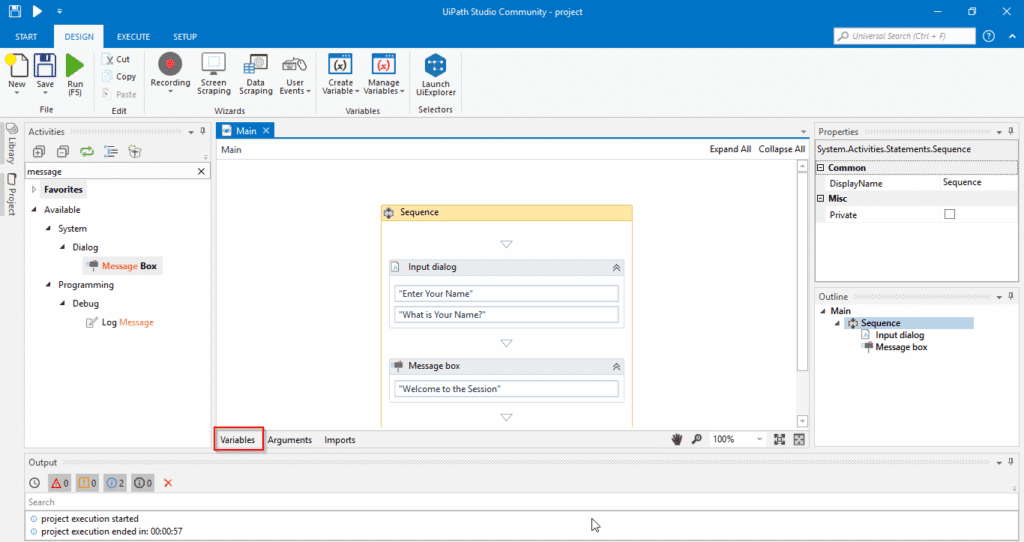
Best for: Enterprise-grade robotic process automation (RPA)
UiPath is a leading enterprise AI workflow automation tool that combines AI with robotic process automation to handle large-scale, rule-based, and decision-driven workflows. It’s designed for organizations automating high-volume, repetitive processes with accuracy and speed.
UiPath stands out as workflow automation software with AI by using computer vision, NLP, and machine learning to automate complex tasks like document processing and system interactions. It’s widely used in industries like finance, healthcare, and manufacturing.
Key features:
- AI-powered RPA and task bots
- Intelligent document processing
- Process mining and analytics
- Enterprise security and scalability
Pricing: Mix of free/community tiers and commercial plans starting near $25/month, with costs tied to robots, licenses, and consumption units.
6. Workato
Best for: Large businesses and IT-led automation
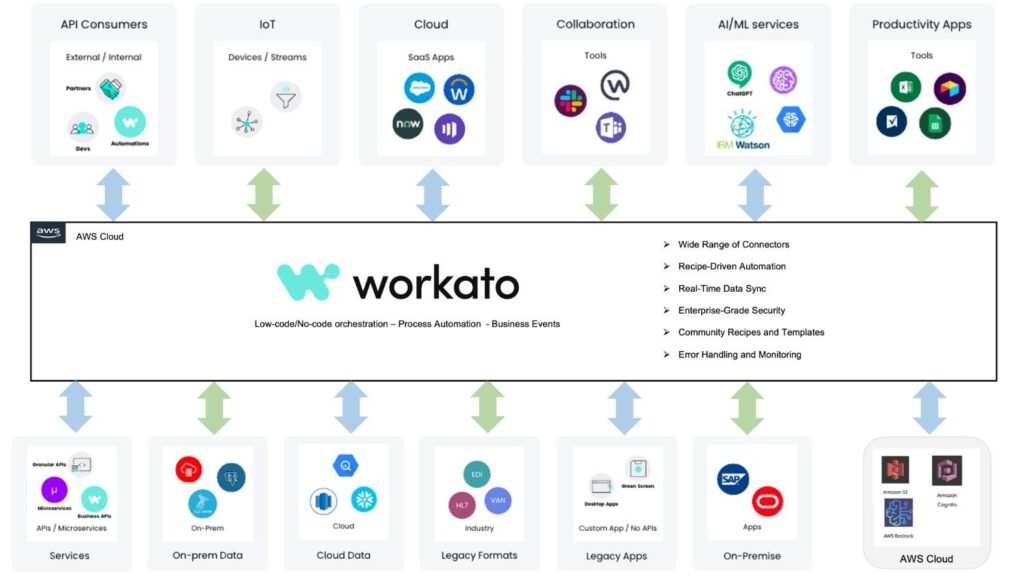
Workato is an enterprise-focused AI workflow automation tool built for complex, cross-system integrations. It enables teams to automate workflows across cloud apps, on-premise systems, and databases with built-in AI intelligence.
As one of the best AI automation tools for business workflows, Workato blends powerful automation with governance and compliance controls. Its AI-driven recommendations help optimize workflows and reduce setup time, making it ideal for fast-scaling organizations.
Key features:
- AI-powered workflow recommendations
- Enterprise-grade integrations and APIs
- Advanced data orchestration
- Built-in governance and security
Pricing: Subscription pricing with no free core plan, using tiered, quote-based packages that scale by workspace volume and enterprise features.
7. n8n
Best for: Developers and self-hosted automation
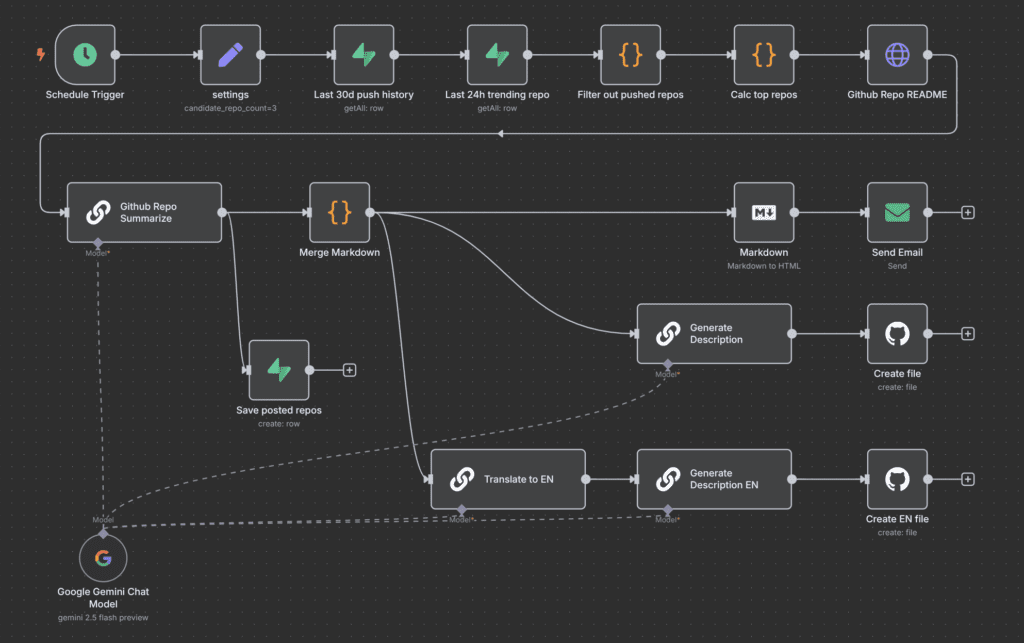
n8n is an open-source AI workflow automation tool built for teams that want full control over their automations. Unlike many cloud-only platforms, n8n can be self-hosted, making it ideal for businesses with strict data privacy requirements.
As workflow automation software with AI, n8n supports complex logic, custom code, and AI integrations such as LLM-based decision-making. It’s one of the best AI automation tools for business workflows where flexibility and customization matter more than simplicity.
Key features:
- Open-source and self-hosted deployment
- Advanced workflow logic and custom scripting
- AI and LLM integrations
- 350+ app integrations
Pricing: Free self‑hosted community edition plus cloud plans starting around €20–24/month, priced by workflow executions and support level.
8. Automation Anywhere
Best for: Large enterprises and regulated industries
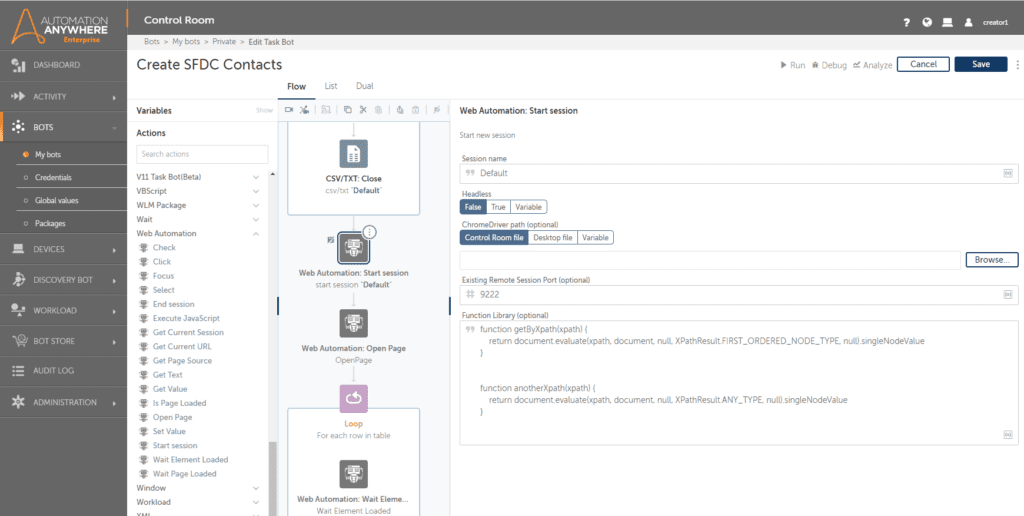
Automation Anywhere is a leading enterprise AI workflow automation tool that combines RPA with intelligent automation. It’s designed to handle mission-critical workflows across finance, healthcare, and supply chain operations.
As advanced workflow automation software with AI, it uses machine learning and cognitive automation to process documents, analyze data, and automate decisions at scale. Strong governance features make it one of the best AI automation tools for business workflows in compliance-heavy environments.
Key features:
- AI-powered RPA bots
- Intelligent document processing
- Enterprise governance and security
- Cloud-native automation platform
Pricing: Enterprise‑oriented subscription with starter cloud packs from roughly $750/month and higher custom-priced tiers for advanced/large-scale deployments.
9. Pipefy
Best for: Process-driven teams and operations
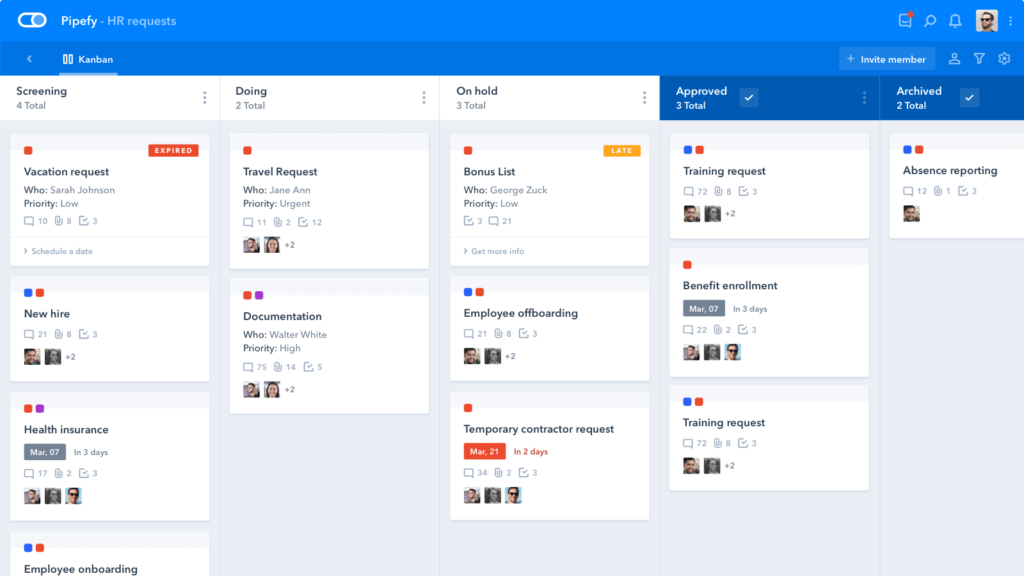
Pipefy is a no-code AI workflow automation tool focused on simplifying internal business processes. It allows teams to design, automate, and optimize workflows without technical expertise.
As workflow automation software with AI, Pipefy uses AI to recommend improvements, automate approvals, and reduce bottlenecks. It’s particularly effective for HR, procurement, and finance teams looking for structured automation.
Key features:
- No-code workflow builder
- AI-based process optimization
- Pre-built workflow templates
- SLA and performance tracking
Pricing: Free Starter tier plus Business/Enterprise/Unlimited plans on a custom-quote basis, with pricing scaling by users, workflows, and automation limits.
10. Kissflow
Best for: SMBs and non-technical teams
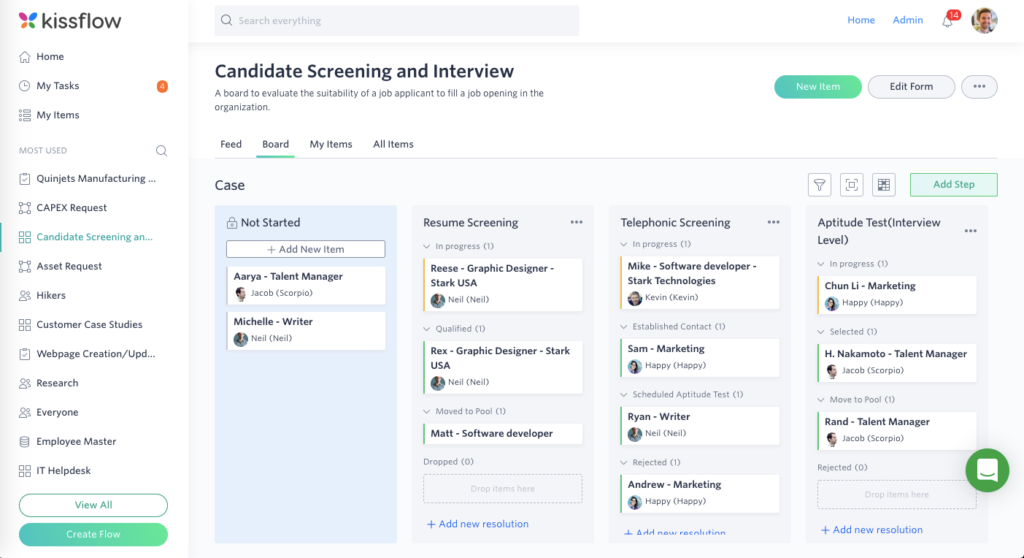
Kissflow is a user-friendly AI workflow automation tool designed for business users who want fast automation without complexity. It blends no-code workflow design with AI insights to streamline everyday operations.
As one of the best AI automation tools for business workflows, Kissflow helps teams automate approvals, project tracking, and internal requests efficiently. Its simplicity makes it ideal for small to mid-sized businesses.
Key features:
- No-code and low-code workflow creation
- AI-powered process insights
- Built-in collaboration tools
- Scalable cloud platform
Pricing: No free plan; Basic starts around $1,500–2,500/month, with higher Enterprise tiers using custom pricing for broader apps, workflows, and governance features.
Final Verdict: Are AI Workflow Automation Tools Worth It?
Yes—AI workflow automation tools are a smart investment for businesses that want to save time, cut costs, and scale faster.
Unlike basic automation, workflow automation software with AI adds intelligence to everyday processes, allowing workflows to adapt and improve over time. From small teams to large enterprises, the best AI automation tools for business workflows deliver real ROI through higher efficiency and fewer errors.
The key is choosing a tool that fits your goals and scaling gradually. As AI continues to advance, businesses that adopt workflow automation early will stay competitive and future-ready.