

Adobe has officially launched Adobe Firefly Image 5, its latest image generation model packed with cutting-edge creative features, including support for layers, custom model creation, and AI-generated soundtracks.
The update marks a major step forward for Firefly, giving artists more flexibility, precision, and control over AI-generated art — all within Adobe’s expanding creative ecosystem.
What’s New in Adobe Firefly Image 5
The Adobe Firefly Image 5 model now generates visuals at native 4-megapixel resolution, up from the previous generation’s 1-megapixel limit. That means sharper, richer, and more lifelike images — especially when it comes to rendering human figures and fine details.
But the real game-changer is the introduction of layered and prompt-based editing. Firefly Image 5 treats different elements within an image as layers, allowing creators to resize, rotate, or refine them through text prompts — without compromising the image’s integrity.
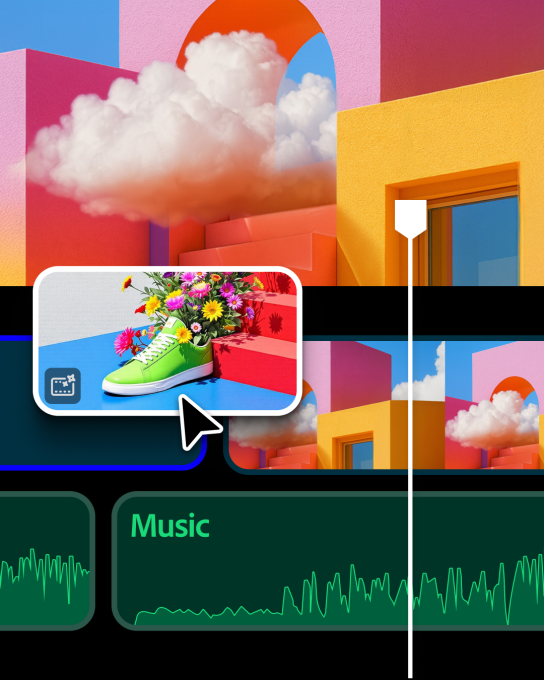
Custom Model Creation: Your Art, Your Style
A highlight of Adobe Firefly Image 5 is the ability for users to create custom models based on their own art style.
Currently in closed beta, this feature lets creators drag and drop their artwork — including sketches, illustrations, or photos — to train Firefly to generate images that reflect their personal aesthetic.
According to Alexandru Costin, Adobe’s VP of Generative AI, this feature is designed for “next-generation creative professionals” who embrace AI as a creative collaborator rather than a replacement.
“We’re thinking of Firefly’s target audience as GenAI-oriented creators — people who use generative AI in every part of their creative workflow,” Costin told TechCrunch.
Upgraded Firefly Interface and Third-Party Model Support
The Firefly website has also received a major redesign. Users can now:
- Switch between image and video generation using the main prompt box.
- Select which AI model (including third-party ones like OpenAI, Runway, Google, and Topaz) to use.
- Change aspect ratios, access recent generations, and seamlessly link to other Adobe tools.
This intuitive interface aims to make Adobe Firefly Image 5 not just powerful, but accessible — even for newcomers exploring AI-driven creativity.
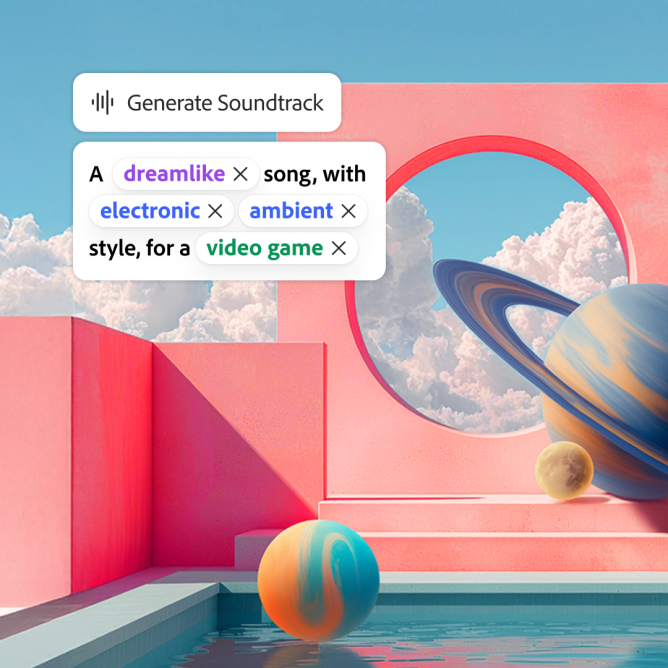
New Video and Audio Capabilities
Beyond images, Adobe is expanding Firefly’s reach into AI-powered audio and video creation. Users can now:
- Generate AI soundtracks and voiceovers using ElevenLabs models.
- Experiment with a redesigned video editor that supports layers and timeline-based editing (currently in private beta).
This makes Adobe Firefly Image 5 a central hub for end-to-end content creation — blending imagery, motion, and sound into a unified creative experience.
The Future of AI-Driven Creativity
As competitors like Canva accelerate their AI features, Adobe continues to evolve Firefly into an all-in-one AI creativity suite. With Adobe Firefly Image 5, the company is solidifying its position as a leader in the generative AI space, empowering creators to build faster, smarter, and more intuitively than ever before.
Stay ahead of the curve—follow us for the latest AI news, breakthroughs, and insights that matter.