
AI video tools are revolutionizing content creation, making it easier than ever for creators to produce high-quality videos. These powerful tools use artificial intelligence to streamline editing processes, generate visuals, and even create entire videos from scratch. As social media platforms continue to prioritize video content, AI video generators have become essential for creators looking to stay competitive and engage their audiences.
This guide covers the 10 best AI video tools for content creators in 2026. Whether you’re a solo creator producing short-form content for TikTok and Instagram Reels, a marketer building multilingual campaigns, or a business producing training videos at scale, there’s a tool here that fits your needs. We’ve reviewed each for features, real-world usability, current pricing, and who it’s actually built for — so you can skip the trial-and-error and get straight to creating.
Read about AI in Video Creation: Revolutionizing Automated Content Creation and Scriptwriting
1. Runway (Gen 4.5)
Best for filmmakers, creative professionals, and anyone who needs cinematic-quality AI-generated video.
Runway has evolved from a niche AI experiment into one of the most technically impressive video platforms available. Its flagship Gen 4.5 model — released in late 2025 — pivots to text-to-video as its primary strength, generating complex cinematic scenes from natural language descriptions with remarkable accuracy. It currently holds the top position on the Artificial Analysis Text-to-Video benchmark, ahead of every major competitor. Users can still generate from images as well, with image-to-video support added in early 2026. Additional tools include Act One for facial capture, Motion Brush, background removal, frame interpolation, and slow-motion effects. Runway is used in professional film and commercial production, with noted partnerships with Netflix and Lionsgate.
Pros and Cons
Pros:
- Industry-leading generation quality and character consistency
- Powerful text-to-video and image-to-video workflows
- Suitable for both individual creators and professional production teams
- Regular model updates that meaningfully improve output quality
- 25% discount available for students and educators
Cons:
- Credit-based system can be expensive for heavy use (1 second of Gen 4.5 = 25 credits)
- Free tier is one-time-only (125 credits, no monthly refresh)
- Advanced cinematic output requires a learning curve to prompt effectively
- “Unlimited” tier means slower queue-based generation, not truly unlimited fast output
Pricing
Runway offers five tiers. The Free plan provides 125 one-time credits with 720p exports. The Standard plan is $12/user/month (annually) or $15/month billed monthly, with 625 credits per month. The Pro plan is $28/user/month (annually), offering 2,250 monthly credits and all features unlocked. The Max plan runs $76/user/month with 9,500 monthly credits for high-volume production. Enterprise pricing is custom. A 25% annual billing discount and student discount are also available.
Rating: 9.5/10
2. Google Veo 3.1
Best for creators who need native audio generation alongside cinematic video — a genuinely unique capability.
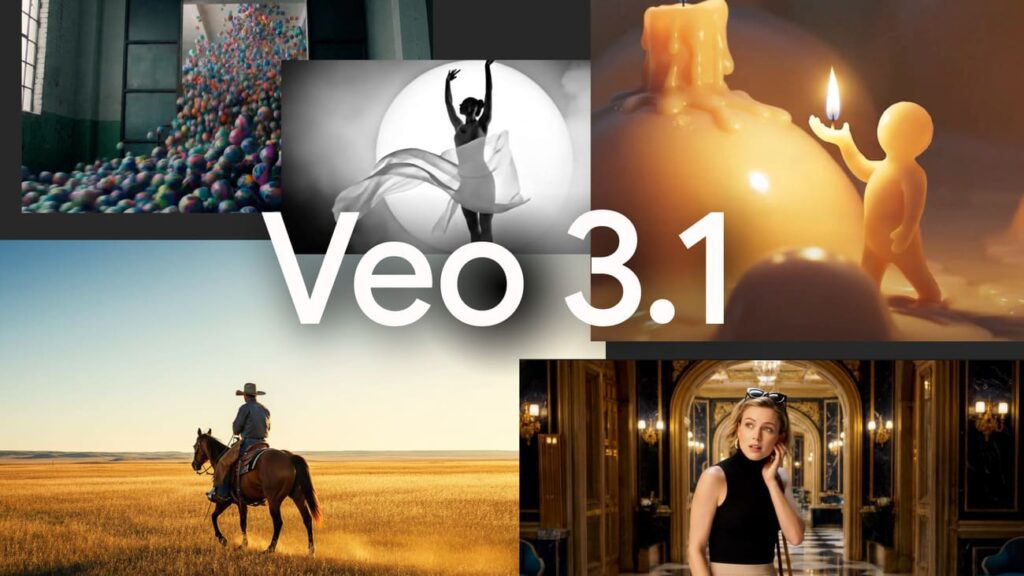
Google’s Veo 3.1 is the only major AI video model that natively generates synchronized audio — including sound effects and dialogue — alongside the video output, without requiring a separate audio production step. Built on the Veo 3 architecture, the 3.1 update brought stronger prompt adherence, improved motion consistency, and a tiered model structure (Light, Fast, and Standard) to suit different cost and quality needs. The Ingredients to Video feature allows you to upload up to three reference images to maintain consistent characters or objects across multiple scenes — a major step forward for narrative content. Veo 3.1 is accessible through Google’s consumer AI subscriptions (Gemini app and Flow interface) as well as directly via the Vertex AI API for developers.
Pros and Cons
Pros:
- The only major model with native synchronized audio generation
- Strong character consistency via multi-image reference inputs
- Tiered model structure (Light/Fast/Standard) allows cost optimization
- Available across multiple access tiers from $7.99/month up to enterprise
- Backed by Google’s infrastructure and research depth
Cons:
- Full-quality access (Standard tier) requires the $19.99/month AI Pro plan or higher
- API pricing can become expensive at scale ($0.40/second for Standard quality)
- Maximum clip length is 8 seconds per generation
- Full 4K resolution and watermark removal are locked to higher-tier subscriptions
Pricing
Veo 3.1 is accessible via Google subscription tiers. Google AI Plus is $7.99/month and provides access to Veo 3.1 Fast. Google AI Pro is $19.99/month with 1,000 credits per month and access to both Fast and Standard models. Google AI Ultra is $249.99/month and unlocks 4K resolution, watermark removal, and priority processing. API pricing via Vertex AI starts at $0.05/video for Veo 3.1 Light, $0.15/video for Fast, and $0.40/video for Standard quality.
Rating: 9/10
3. Kling AI
Best for creators who want benchmark-topping generation quality, a genuinely unique motion-transfer feature, and 4K output at one of the most affordable entry points in the category.
Released by Kuaishou in February 2026, Kling 3.0 uses the Omni One architecture to combine text-to-video, image-to-video, and video editing in one platform. Ranked among the leading AI video models, it offers native 4K 60fps output, realistic motion, and Motion Control, which transfers movements from a reference video to new characters. It also supports multi-shot storytelling, lip-synced audio, strong character consistency, and accurate text rendering. With over 60 million creators and 600 million videos generated, it is one of the most established AI video platforms.
Pros and Cons
Pros:
- Tops or rivals the leading 2026 benchmarks for raw generation quality
- Motion Control is a genuinely unique feature — no major competitor offers an equivalent
- Best-in-class text, logo, and signage rendering, valuable for marketing and product videos
- Native 4K 60fps output with multi-shot storytelling (up to 6 connected shots)
- One of the most affordable entry points for watermark-free, commercial-use 1080p video
Cons:
- Credit-based system — higher resolutions and audio consume credits quickly
- Monthly credits expire at the end of the billing cycle with no rollover
- Free tier is restrictive: 66 daily credits, capped resolution, and a visible watermark
- Real-world iteration (3–5 attempts per usable clip) means effective costs run well above the “headline” credit price
- Pricing is inconsistent across sources and reseller platforms, making it hard to budget confidently
Pricing
Kling AI offers five plans: Free ($0/month, 66 daily credits, watermark, ~540p), Standard ($6.99/month, 660 credits, 1080p, no watermark), Pro ($29.99/month, 3,000 credits), Premier ($64.99/month, 8,000 credits), and Ultra ($127.99/month, 26,000 credits with early access to new models). Annual billing saves about 34% on Standard, Pro, and Premier. Kling 3.0 generation costs range from 6–12 credits per second, depending on resolution and audio settings.
Rating: 9/10
4. Luma Dream Machine
Best for motion designers and filmmakers who prioritize smooth physics-accurate video generation at speed.
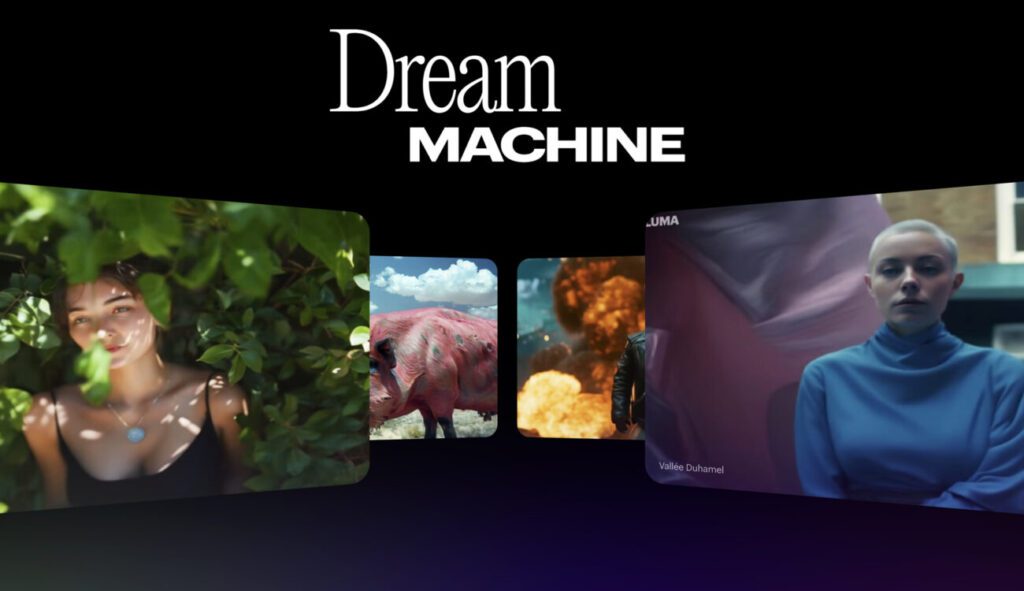
Luma Dream Machine benefits directly from Luma AI’s deep expertise in 3D capture and real-world physics modeling. The result is video generation that’s both fast and remarkably smooth — capable of producing 5-second clips in under two minutes — with motion dynamics that look physically coherent rather than AI-generated. The platform supports text-to-video and image-to-video workflows, keyframe control, image extension, and multiple aspect ratios including 9:16 for vertical social content. Commercial use rights are included across all paid plans, which is a meaningful advantage for creators producing branded or client-facing work. A public API is also available for developers building integrations.
Pros and Cons
Pros:
- Exceptional motion realism and physical accuracy
- Fast generation speeds relative to competitors
- Commercial use rights included on all paid plans
- Supports both text and image inputs with keyframe control
- Developer-friendly API available
Cons:
- Free tier is limited: roughly one 720p clip per day with a visible watermark and no audio
- Pricing structure uses usage capacity (Luma Agents) rather than simple generation counts, which can be confusing
- Audio generation is only available on Plus and above
- 4K output requires the Pro plan ($149.99/month)
Pricing
Free tier: approximately one short 720p clip per day, watermarked, no audio. Paid plans: Basic at $23.99/month (1080p, limited audio), Plus at $59.99/month (1080p+ with audio), and Pro at $149.99/month (4K with audio). A Standard plan at approximately $29.99/month is also referenced across multiple sources. Annual billing saves around 20%. Enterprise and custom plans available on request.
Rating: 8.5/10
5. HeyGen
Ideal for businesses and content creators who need high-quality multilingual avatar video at scale.
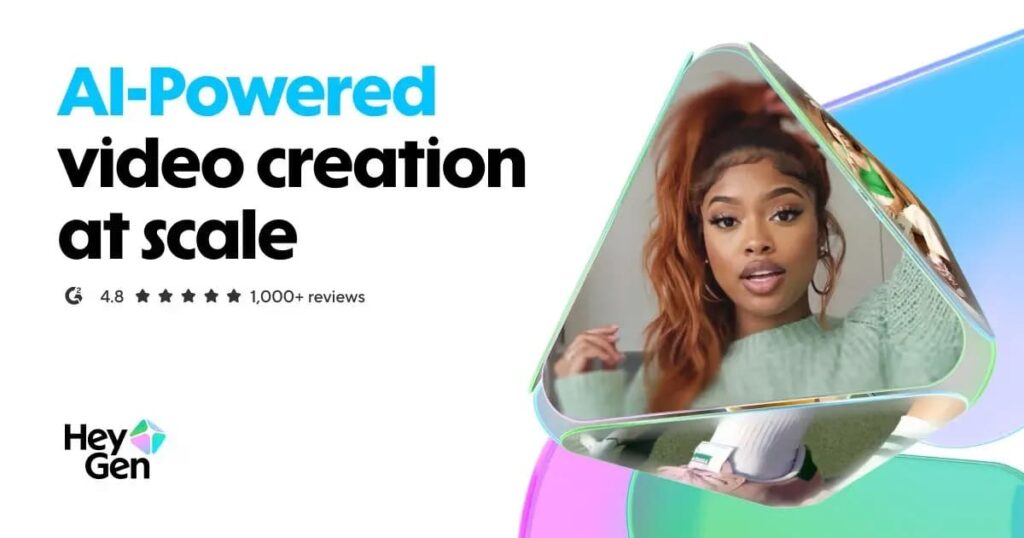
HeyGen has become one of the most widely adopted AI avatar video platforms in the industry, holding a 4.8/5 score on G2 across more than 1,000 reviews. Its Avatar IV system produces highly realistic AI presenters from your own footage, and the platform’s video translation and lip-sync features cover 40+ languages with natural-sounding dubbing that matches mouth movements. Real-world adoption speaks volumes: Trivago used HeyGen to localize content for 30 markets with an 80% cost reduction, and Miro reported 10x faster video production. A free plan is available with no credit card required and no expiration. As of early 2026, the API has moved to a pay-as-you-go system and is priced separately from web subscriptions.
Pros and Cons
Pros:
- Rated 4.8/5 on G2 — consistently praised for avatar quality and realism
- Multilingual lip-sync covers 40+ languages
- Free plan is permanent with no credit card required
- Team workspace and collaboration tools on Business tier
- Proven enterprise adoption with documented ROI
Cons:
- Premium Credit system is complex — Avatar IV videos consume 20 credits per minute, so Creator’s 200 credits = just 10 minutes of premium video
- API access is completely separate from web subscriptions and not free
- 4K rendering is Business tier only ($149/month + $20/seat)
- Video translation quality can vary on less common languages
Pricing
Free plan: 3 videos per month with watermark. Creator: $29/month (unlimited videos + 200 monthly premium credits). Pro: $99/month (more credits and advanced AI features). Business: $149/month + $20/seat (4K rendering, custom avatars, SSO, team workspace). Enterprise: custom pricing. Annual billing available at reduced rates.
Rating: 9/10
6. Synthesia
Ideal for businesses producing training, onboarding, and internal communication videos consistently at scale.
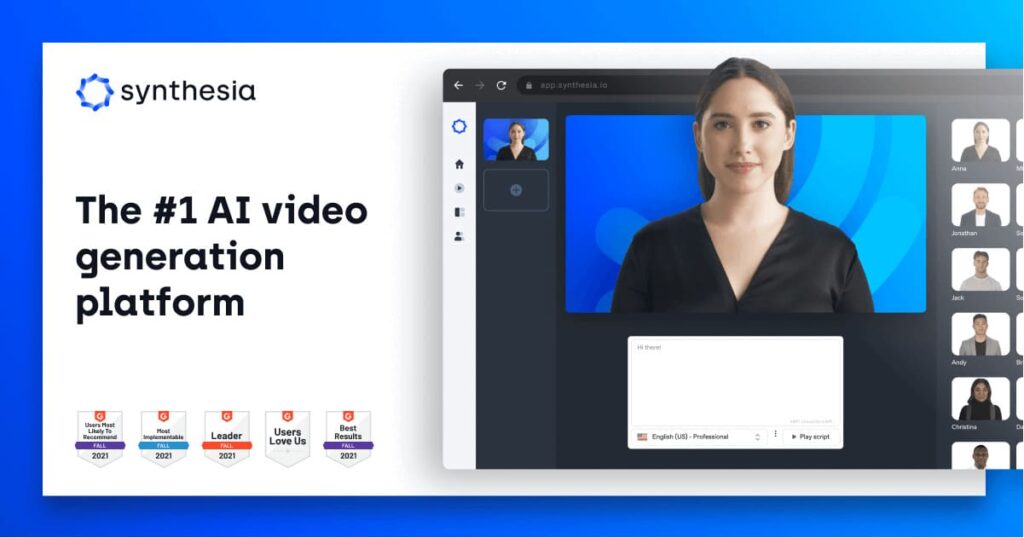
Synthesia is the go-to platform for corporate and educational video production, positioning itself as a replacement for expensive re-recording cycles when scripts change. It offers 125+ AI avatars, a Personal Avatar feature to create a digital twin of yourself, and AI Playground access to Veo 3.1 and Sora 2 for generating additional video assets. Support for 120+ languages and accents makes it well-suited for global L&D teams. A September 2025 overhaul replaced the old transcription-hours model, and pricing has dropped meaningfully — the Starter plan now begins at $18/month annually, down from $29. Video output is capped by minutes rather than being unlimited, so it’s best suited to teams with predictable, script-driven production needs.
Pros and Cons
Pros:
- Purpose-built for consistent business video production (training, onboarding, comms)
- 120+ language and accent support across plans
- Personal Avatar feature for a branded digital presenter
- AI Playground includes access to Veo 3.1 and Sora 2
- Pricing has dropped significantly — now one of the more affordable avatar platforms
Cons:
- Monthly video minute caps make it impractical for high-volume or experimental workflows
- Unused credits don’t roll over between billing cycles
- SCORM export, SSO, and advanced collaboration are Enterprise-only
- Avatar output can feel less natural for highly emotional or nuanced content
Pricing
Free plan: 10 minutes per month, watermarked, 9 avatars. Starter: $18/month (billed annually) or $29/month monthly, 10 video minutes/month, 125+ avatars, one Personal Avatar. Creator: $89/month, 30 video minutes/month, 180+ avatars, 5 Personal Avatars, API access. Enterprise: custom pricing with unlimited video minutes, SSO, SCORM export, and advanced collaboration tools.
Rating: 8.5/10
7. Opus Clip
Best for creators and marketers who need to repurpose long-form content into viral short clips at scale.

Opus Clip has become the most widely recognized AI video repurposing tool on the market, with over 10 million users and a workflow specifically built around turning long videos into short-form clips for TikTok, YouTube Shorts, and Instagram Reels. Its ClipAnything AI model identifies the strongest moments from long recordings, adds dynamic captions, reframes for vertical formats, and includes AI-powered B-Roll and hook generation. It supports 25+ languages and includes built-in social scheduling. Grant Cardone and Logan Paul are among its notable users. Users consistently report 85% time savings compared to manual clipping, though the tool is best understood as a first-draft engine — final polish often still benefits from manual review.
Pros and Cons
Pros:
- Best-in-class automated clip selection from long-form video
- 25+ language support and dynamic caption generation
- Built-in social scheduling for multi-platform publishing
- ClipAnything model consistently extracts high-engagement moments
- 10M+ users and a mature, well-documented workflow
Cons:
- Free plan has limited features and 3-day file expiry
- The Starter plan ($15/month) still doesn’t include the clip editor — that’s Pro-gated
- High-volume creators (podcasters, livestreamers) burn through credits quickly
- API access limited to the custom-priced Business plan
- Some users report the cancellation process is unnecessarily complex
Pricing
Free tier: 60 monthly credits, watermarked, 3-day file expiry. Starter: $15/month (150 credits, no clip editor). Pro: $29/month (300 credits, full editor, AI hook, B-Roll, social scheduling). Business: custom pricing with API access and team features. Annual billing available at approximately $14.50/month for Pro.
Rating: 8.5/10
8. Captions.ai
Great for solo creators who want an all-in-one tool for captioning, eye contact correction, dubbing, and AI avatar videos.
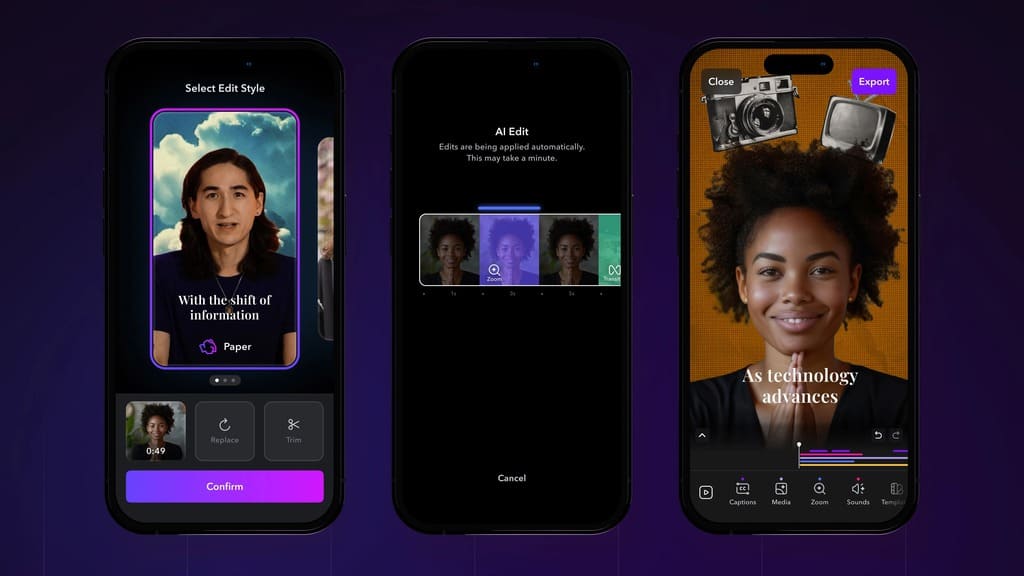
Captions.ai is a creator-focused platform that handles the entire short-form video polish pipeline in one place. Its most distinctive feature is AI eye contact correction — it adjusts your gaze in recorded video to make you appear to be looking directly at the camera, even when reading from a script. Alongside that, it offers automatic caption generation, background noise removal, filler word removal, and video dubbing in 29 languages with synced lip movements. The AI Creator feature lets users generate video with a 3D avatar, and the platform is increasingly popular with solo YouTubers, vloggers, and social media marketers who want to polish videos without a dedicated editor.
Pros and Cons
Pros:
- Unique AI eye contact correction not found in most competing tools
- 29-language dubbing with lip-synced movements
- Clean, creator-focused interface with a low learning curve
- All-in-one: captions, dubbing, noise removal, filler word removal in one workflow
- Free tier available to test core features
Cons:
- Credits are shared across all features, including transcription and re-renders — limits run out faster than expected
- Overage fees of $0.25–$0.35 per minute if you exceed your plan’s allocation
- Ultra-realistic voices and custom voice cloning are locked to higher tiers
- Team collaboration and advanced analytics are Business-only
- Minute-based pricing system can feel opaque
Pricing
Free plan with watermark. Pro: $9.99/month (unlimited exports, AI editing tools, customizable captions, noise removal, multi-language dubbing, ~120 minutes of AI processing). Max: $57/month (1,200 monthly credits, ~20 minutes of AI video, AI Creator with 3D avatars, priority support). Scale: $115/month (3,600 credits, ~45 minutes of AI video, API access). Enterprise: custom pricing with bulk editing, workflow automation, and dedicated support.
Rating: 8/10
9. InVideo AI
Best for non-editors who want to go from a text prompt to a fully produced, distributable video — complete with voiceover, subtitles, music, and footage.
InVideo AI 2.0 is arguably the most complete end-to-end AI video pipeline available for non-professionals and small teams. Type a prompt, and the platform handles script writing, footage selection, voiceover generation, subtitle placement, music, and transitions — making roughly 500 creative decisions automatically per video. What sets InVideo apart in 2026 is its integration of both OpenAI Sora 2 and Google Veo 3.1 directly into the pipeline, generating cinematic footage that blends with stock clips. The template library has grown to over 10,000 options, and the iStock integration gives paid users access to premium footage without a separate subscription. Voice cloning (from a 30-second audio sample) and multilingual support round out a genuinely impressive feature set for the price.
Pros and Cons
Pros:
- True end-to-end pipeline: prompt in, finished video out — no editing skills required
- Integrates both Sora 2 and Veo 3.1 for cinematic footage generation
- 10,000+ templates across formats, platforms, and industries
- Voice cloning from a 30-second sample — two clones on Plus, five on Max
- iStock integration included with paid plans
Cons:
- AI generation quality is strong but prompt interpretation can be inconsistent
- Unused AI generation minutes don’t roll over — they reset monthly
- Free plan watermarks all exports
- The generated copy tends to be safe rather than sharp — still benefits from human review
- Additional iStock credits cost extra beyond plan allocation
Pricing
Free plan: 10 AI videos per month, watermarked, 720p. Plus: $25/month ($20/month billed annually), watermark-free, HD exports, 50 minutes of AI generation per month, 95 iStock credits. Max: $60/month ($48/month annually), 5 voice clones, 320 iStock credits, Sora 2 and Veo 3.1 access. A 20% annual billing discount applies across paid plans.
Rating: 8.5/10
10 Descript
Best for podcasters, video creators, and content teams who need fast, text-driven editing with professional audio enhancement.
Descript’s core proposition remains unique: edit video and audio by editing the text transcript. Delete a word from the script, and it disappears from the recording. It’s a workflow that dramatically speeds up editing for anyone working with spoken-word content — interviews, podcasts, tutorials, and educational videos. A September 2025 pricing overhaul replaced the old transcription-hours model with media minutes and a separate AI credits system. Studio Sound is a standout feature that makes laptop-recorded audio sound studio-quality, and Overdub enables voice cloning from your own recordings. Transcription accuracy sits around 92–95% for clean single-speaker audio, dropping to around 80% for multi-speaker recordings with crosstalk.
Pros and Cons
Pros:
- Text-based editing is genuinely faster than timeline editing for spoken-word content
- Studio Sound audio enhancement is exceptional — transforms low-quality recordings
- Overdub voice cloning allows corrections without re-recording
- Collaborative tools support team-based workflows
- Free plan includes core editing features and 1 hour of transcription
Cons:
- Not designed for cinematic or generated video — purely an editing tool
- Multi-speaker transcription accuracy drops significantly with crosstalk
- Advanced features (AI Green Screen, full Overdub use) are gated behind Creator and Pro
- Limited mobile editing capabilities
- Best suited for recordings under 60 minutes; longer files may encounter performance issues
Pricing
Free plan: 1 hour transcription/month, 1 watermark-free export at 720p. Creator: $15/user/month ($12/user/month billed annually), 10 hours transcription, unlimited watermark-free 4K exports, 10 remote recording hours. Pro: $30/user/month ($24/user/month annually), 30 transcription hours, 30 remote recording hours, unlimited AI effects. Education/non-profit: $5/user/month ($60 annually). Enterprise: custom pricing.
Rating: 8.5/10
Final Thoughts
The AI video tools available to creators in 2026 are categorically more capable than anything that existed just two years ago. What were once separate workflows — generation, editing, repurposing, translation — are increasingly converging into unified platforms, and the output quality has reached a point where AI-produced video is genuinely competitive with traditional production for many use cases.
That said, the right tool still depends entirely on what you’re trying to create. If cinematic generation quality is your priority, Runway Gen 4.5 and Google Veo 3.1 are in a class of their own. For avatar-based business videos, HeyGen and Synthesia remain the strongest options. If you’re a solo creator producing short-form content, Opus Clip, Captions.ai, and InVideo AI each address distinct parts of that workflow. And for anyone who edits spoken-word content, Descript’s text-based approach is still unmatched for speed.
The democratization of video production is well underway. The tools that were once available only to studios with large budgets are now accessible to any creator with a laptop and a subscription.
FAQs
What is the best AI video tool for beginners in 2026? InVideo AI is the strongest starting point for most beginners — it requires no editing skills and handles everything from script to finished video automatically. Captions.ai is also excellent for creators who already record themselves and need help with polish and captioning.
Which AI video tool generates the most realistic footage? Runway Gen 4.5 currently leads independent benchmarks for video generation quality. Google Veo 3.1 is its closest competitor and is the only model that also generates native synchronized audio.
What is the most affordable option for content creators? Captions.ai Pro at $9.99/month is among the most accessible entry points. InVideo AI’s free plan allows 10 videos per week, and both HeyGen and Synthesia offer permanent free plans with meaningful features for casual use.
Which tools are best for multilingual video? HeyGen and Synthesia are both purpose-built for multilingual content. HeyGen covers 40+ languages with lip-synced translation, while Synthesia supports 120+ languages and accents. Google Veo 3.1’s native audio generation also has strong multilingual potential.
What does the future hold for AI video generation? The trend is toward native audio, longer clip lengths, stronger character consistency across scenes, and tighter integration between generation and editing. Several platforms are also building toward real-time video generation — a development that would fundamentally change live production workflows.



Pingback: Enhancing Video Marketing with AI: Creating Engaging Content at Scale - AI Content Minds
Pingback: Pixverse AI Review: Create Stunning Videos from Text & Images Fast - AI Content Minds