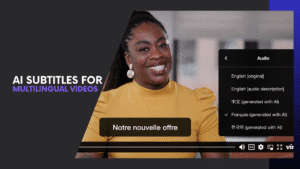
Ever stared at hours of rough footage and wondered how top creators turn it into slick, shareable videos so quickly? Welcome to the era of AI video editing tools — intelligent software that automates tedious tasks like cutting, captioning, and color correction so you can focus on creativity.
From Adobe Premiere Pro’s smart scene detection to DaVinci Resolve’s AI-powered color grading and Runway’s text-to-video magic, these tools are redefining what’s possible in video production. Platforms like Descript let you edit videos just by editing text, while InVideo AI transforms scripts into ready-to-post clips in minutes.
These innovations aren’t just time-savers—they’re empowering creators, marketers, and filmmakers to produce professional videos faster than ever. In this article, we’ll explore the top 5 AI video editing tools that can help you transform raw footage into stunning, pro-level content—fast.
Why Creators Are Switching to AI Video Editing Tools
Video editing used to take hours—cutting clips, syncing audio, and fixing colors. But AI video editing tools now handle those tedious tasks in seconds, giving creators more time to focus on creativity.
Studies show that over 70% of content creators use AI to speed up production and improve quality. Platforms like Adobe Premiere Pro and Runway can detect scenes, fix audio, and even suggest transitions automatically—making the editing process smarter and faster.
Here’s why creators are embracing AI-driven video editing software:
- Speed & Efficiency: Automates cutting, captions, and color fixes, finishing projects up to 3x faster.
- Consistent Quality: Ensures balanced visuals and audio across all clips.
- Beginner-Friendly: Tools like InVideo AI and Descript let anyone edit videos without prior experience.
AI tools for content creators have transformed editing from a technical chore into a creative process anyone can master. Whether you’re producing YouTube tutorials or cinematic reels, these tools let you work smarter—not harder.
Top 5 AI Video Editing Tools That Turn Raw Footage into Pro-Level Content Fast
With so many options available, finding the right AI video editing software can feel overwhelming. To help you choose wisely, here are five standout AI video editing tools that combine speed, automation, and professional polish—perfect for both beginners and seasoned creators.
1. Adobe Premiere Pro – Smarter Editing with Built-In AI
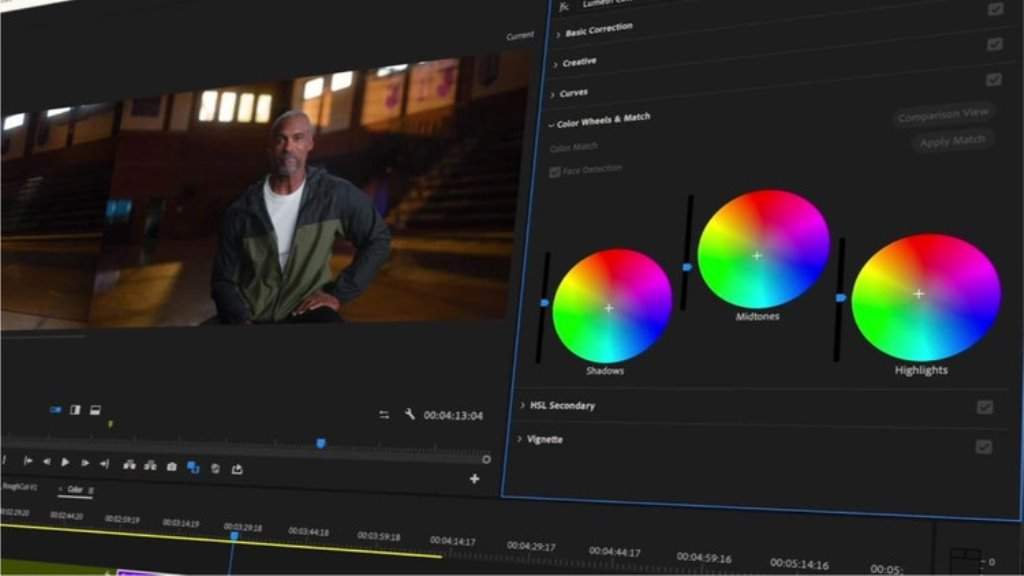
Powered by Adobe Sensei, Premiere Pro’s AI engine automates everything from scene detection to audio clean-up and caption generation. Editors can instantly locate the best moments, balance sound levels, and color-match shots with precision.
Best for: Professional creators, filmmakers, and agencies who want pro-grade results fast.
Standout AI Features:
- Auto Reframe for resizing videos across platforms
- Smart scene detection and audio repair
- Instant captioning with accurate speech recognition
Learn more on the Adobe Premiere Pro website.
2. DaVinci Resolve – Pro-Grade AI Tools for Color and Clarity
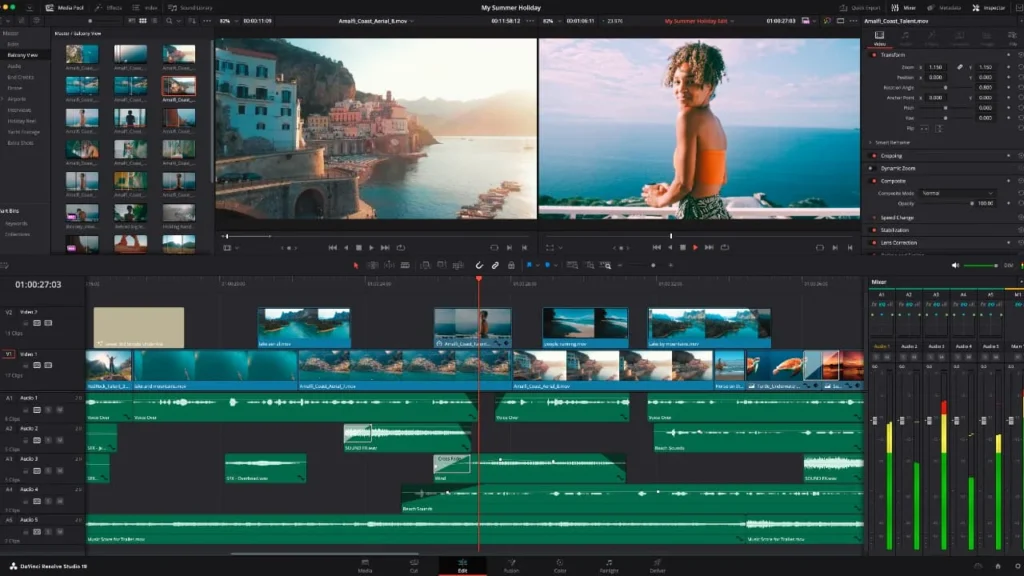
DaVinci Resolve uses AI to enhance color accuracy, facial recognition, and stabilization—giving creators control over every detail. Its Neural Engine automates scene cut detection, speeds up editing, and even enhances image quality.
Best for: Filmmakers and video editors seeking cinematic color correction.
Standout AI Features:
- Auto scene detection and smart stabilization
- Facial recognition for sorting and tagging
- Super Scale upscaling for 4K+ projects
Check out DaVinci Resolve’s AI features.
3. Runway – Text-to-Video Magic from Your Browser
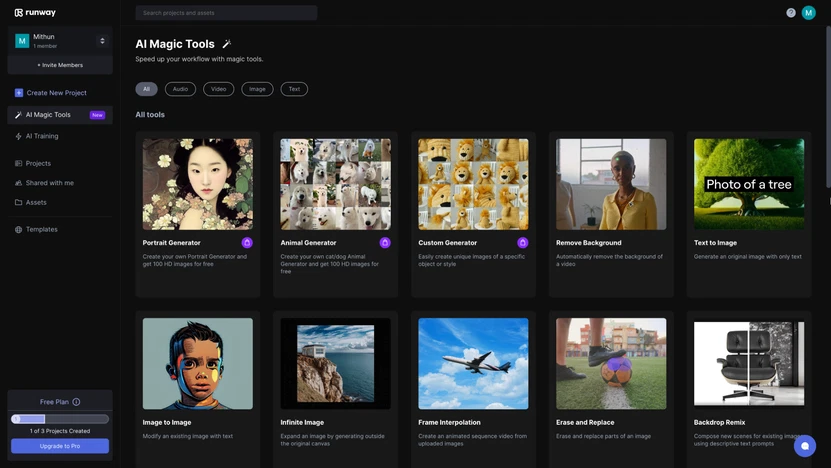
Runway brings video creation into the future with text-to-video generation, background removal, and real-time editing in your browser. It’s perfect for creators who want to turn ideas or scripts into visuals—without complex software.
Best for: Marketers, creators, and storytellers who value speed and creativity.
Standout AI Features:
- Text-to-video and image-to-video generation
- Automatic background removal
- Browser-based editing (no heavy downloads)
Try it directly at Runway ML.
4. Descript – Edit Video by Editing Text
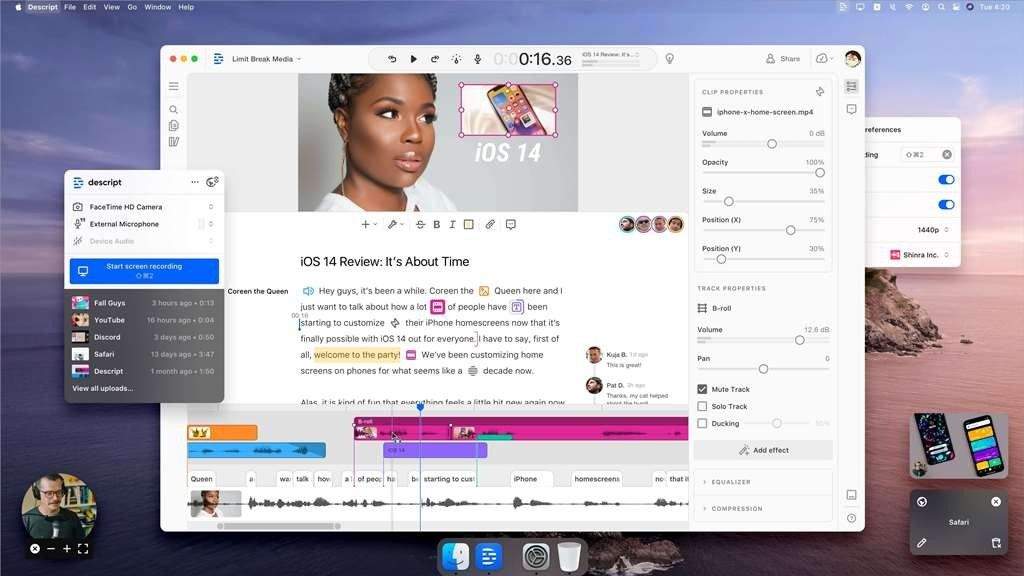
Descript redefines editing by letting you cut or rearrange clips simply by editing the transcript. Delete a word, and the video segment disappears. Its AI voice cloning and filler-word removal make post-production incredibly efficient.
Best for: Podcasters, educators, and YouTubers creating talk-based content.
Standout AI Features:
- Text-based video editing
- Lifelike AI voiceovers
- Auto filler-word removal (“um,” “uh,” etc.)
Learn more on the Descript homepage.
5. InVideo AI – Script to Video in Minutes
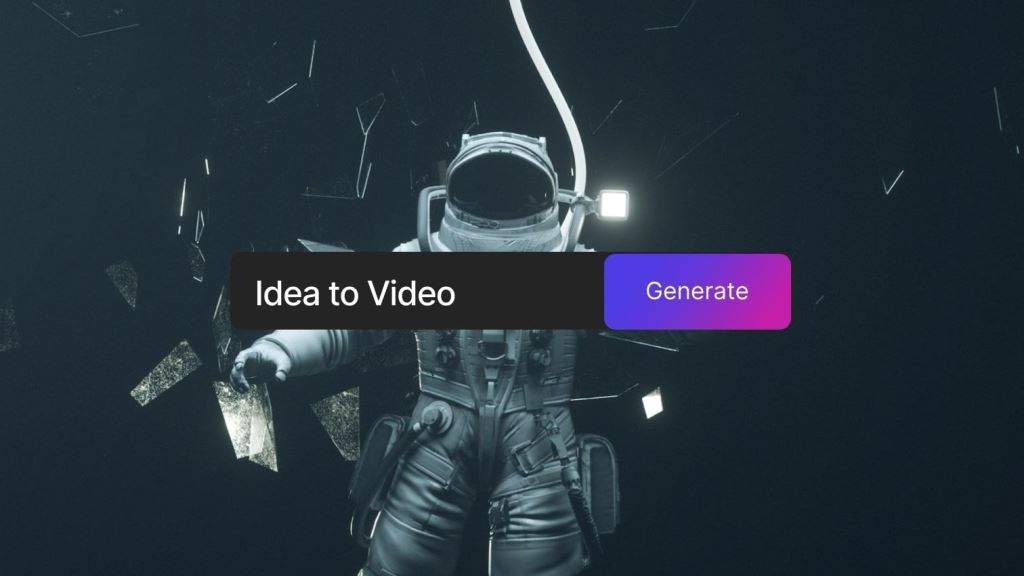
InVideo AI streamlines the entire process from script to final video, using smart templates and AI voiceovers to craft videos in minutes. Even non-editors can produce stunning clips optimized for YouTube, Instagram, or business marketing.
Best for: Entrepreneurs, marketers, and social media creators.
Standout AI Features:
- Script-to-video automation
- Customizable templates for every platform
- Quick voiceovers in multiple languages
Start creating at InVideo AI.
Each of these AI video editing tools empowers you to work smarter, not harder. But which one truly fits your needs? Let’s compare their core strengths side by side next.
Quick Comparison: Which AI Video Editor Is Right for You?
Now that you’ve seen what each tool offers, let’s line them up side by side. Choosing the right AI video editing software depends on your workflow, skill level, and creative goals. Some tools excel at automation, while others shine in precision and color control.
Here’s a quick breakdown to help you decide:
| AI Video Editing Tool | Best For | Standout AI Features | Free Plan | Ease of Use |
|---|---|---|---|---|
| Adobe Premiere Pro | Professionals & agencies | Scene detection, Auto Reframe, Smart captioning | Trial only | ★★★☆☆ |
| DaVinci Resolve | Filmmakers & editors | Neural Engine, Facial recognition, Smart stabilization | Free version available | ★★☆☆☆ |
| Runway | Marketers & storytellers | Text-to-video, Background removal, Real-time browser editing | Free plan | ★★★★★ |
| Descript | Podcasters & educators | Text-based editing, AI voiceovers, Filler-word cleanup | Free plan | ★★★★☆ |
| InVideo AI | Marketers & social media creators | Script-to-video, Templates, AI voiceovers | Free plan | ★★★★★ |
Pro Tip: If you need speed and accessibility, go for Runway or InVideo AI. For color precision and cinematic detail, DaVinci Resolve leads the pack. Professionals who already use Adobe tools will find Premiere Pro’s AI integrations seamless.
Each of these platforms serves a different creative purpose, but all share one goal—helping you produce professional, high-quality videos faster than ever.
Benefits of Using AI Video Editing Tools
AI video editing tools aren’t just a convenience—they’re transforming the way creators work. From solo YouTubers to marketing teams, these tools help produce polished, professional content faster than ever. Here’s why more creators are making the switch:
1. Save Time and Boost Efficiency
AI handles repetitive tasks like cutting, captioning, and stabilizing footage automatically. This reduces editing time by up to 70%, letting creators focus on storytelling and creativity rather than technical details.
2. Ensure Consistent Quality Across Projects
Machine learning algorithms maintain consistent color grading, audio levels, and visual effects. Whether you’re producing a single social media clip or a multi-episode series, AI helps keep every video looking professional.
3. Make Smarter Editing Decisions
Modern AI tools can detect facial expressions, scene changes, and emotional tone, suggesting edits that make your content more engaging. This gives creators a data-driven edge in crafting compelling stories.
4. Democratize Video Production
With tools like InVideo AI and Descript, beginners can create high-quality videos without prior experience. AI simplifies complex workflows, making professional-level editing accessible to anyone.
5. Adapt Quickly to Platform Needs
AI can automatically reformat videos for different platforms, adjust aspect ratios, and optimize captions. This is especially valuable for creators posting on YouTube, Instagram, TikTok, or LinkedIn, saving hours of manual adjustment.
AI tools for content creators are more than just a trend—they’re a game-changer. They help you produce high-quality content faster, smarter, and more efficiently, giving you a competitive advantage in a crowded digital landscape.
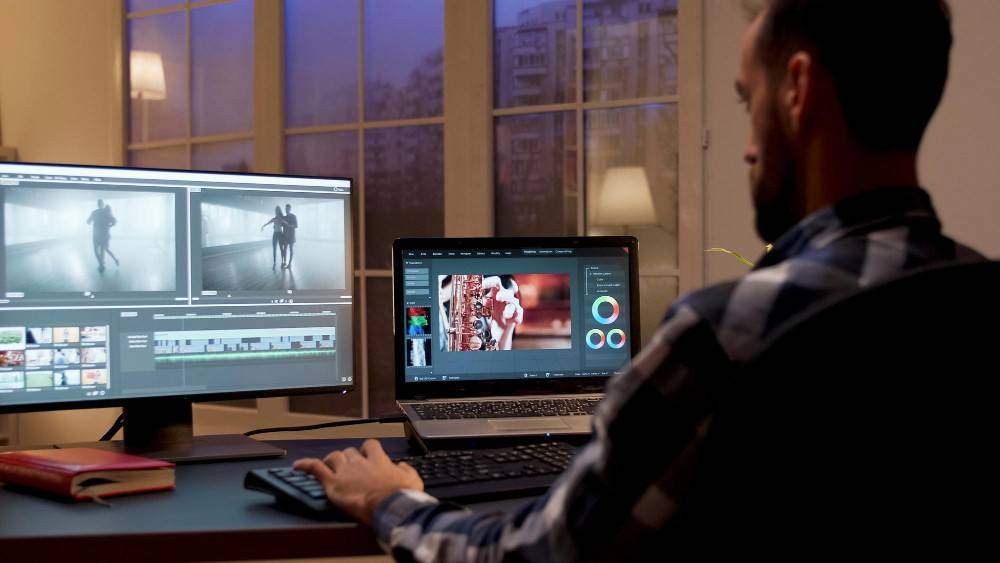
Expert Tips: How to Choose the Best AI Video Editing Software
With so many options available, picking the right AI video editing software can feel overwhelming. Here are expert tips to help you make the best choice based on your goals, experience level, and workflow.
1. Identify Your Primary Need
- Speed & Automation: Tools like Runway and InVideo AI excel at turning scripts into finished videos quickly.
- Professional Precision: If color grading and cinematic quality are crucial, DaVinci Resolve or Adobe Premiere Pro are better choices.
- Content Editing Efficiency: For talk-based videos, podcasts, or tutorials, Descript simplifies cutting and voiceover edits.
2. Consider Your Skill Level
- Beginners benefit from intuitive, template-driven platforms like InVideo AI or Runway.
- Experienced editors can leverage advanced features in Premiere Pro or DaVinci Resolve for greater creative control.
3. Evaluate AI Features
Look for tools that offer features aligned with your workflow:
- Automatic captioning and transcription
- Scene detection and smart transitions
- Background removal and text-to-video generation
- AI voiceovers and filler-word removal
4. Check Platform Compatibility & Export Options
Ensure the software supports your preferred devices, formats, and social platforms. Cloud-based editors like Runway allow editing from any browser, while desktop tools like Premiere Pro require installation but offer more processing power.
5. Test Free Versions or Trials
Many AI video editors offer free plans or trial periods. Experiment with a few tools to see which interface, workflow, and AI capabilities feel most intuitive and effective for your content.
Pro Tip: Make a short list of 2–3 tools, then test them on a small project. Your workflow, content type, and time constraints should guide your final choice.
The Future of AI in Video Creation
The evolution of AI video editing tools is only just beginning. What started as automation for simple tasks like cutting and captioning has evolved into full-scale video generation, where creators can produce professional-grade videos from text prompts alone.
In the next few years, expect AI to move beyond editing assistance and become a creative collaborator. Here’s a glimpse into what’s coming:
1. Text-to-Video Storytelling Becomes Mainstream
Platforms like Runway and Pika Labs are pioneering text-to-video tools that turn written prompts into cinematic scenes. Imagine typing “a sunrise over a city skyline” and watching a full video render in seconds — no camera needed.
2. Real-Time Generative Editing
AI will soon enable instant video adjustments based on viewer feedback or engagement metrics. This means content can evolve dynamically, optimizing itself for better performance across social platforms.
3. Hyper-Personalized Content Creation
With audience data and AI analytics, creators will be able to tailor videos to different viewer segments automatically — adjusting tone, visuals, and language for maximum impact.
4. Fully Automated Video Production Pipelines
From scriptwriting to editing and publishing, AI will eventually handle entire video workflows. Human creators will shift their focus from manual editing to strategic storytelling and creative direction.
5. Integration with the Metaverse and AR
As augmented and virtual reality technologies mature, AI video tools will enable creators to build immersive, interactive video experiences — merging storytelling with 3D environments and digital avatars.
The future of AI video creation isn’t just about efficiency—it’s about expanding human creativity. AI will continue to break barriers, making high-quality video production accessible, dynamic, and personalized for every creator.
Conclusion: Elevate Your Content with AI-Powered Editing
AI video editing tools are transforming content creation, letting anyone produce polished, professional videos quickly. From automating tedious tasks to providing pro-level effects, these tools help creators focus on storytelling rather than technical details.
The top five tools — Adobe Premiere Pro, DaVinci Resolve, Runway, Descript, and InVideo AI — cater to different workflows and skill levels. Leveraging features like text-to-video, smart scene detection, and automatic voiceovers lets you work smarter, save time, and elevate your content.
Pro Tip: Test a free plan or trial to see which tool fits your workflow. Even small projects can reveal the power of AI-driven editing.
AI video editing is no longer optional—it’s essential for modern creators. With the right tool, your next video can be faster, sharper, and more impactful than ever.