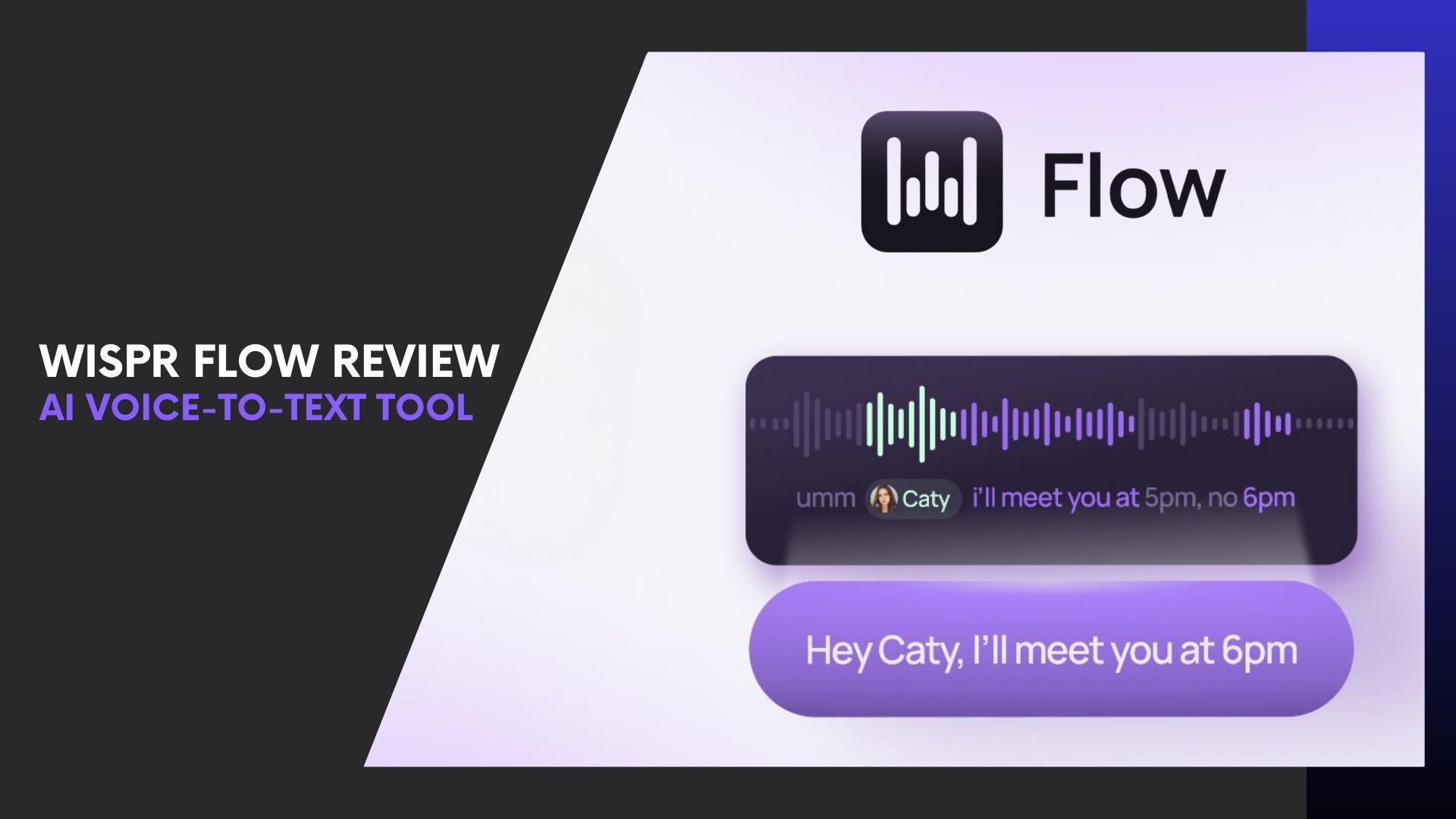
If you write, message, or document work daily, typing may be quietly hurting your productivity. Keyboards haven’t changed much—but the way we work has. This is where Wispr Flow enters the conversation.
This Wispr Flow review explores how AI-powered voice-to-text is replacing typing by letting you speak naturally and instantly turning your words into clean, well-formatted text inside any app you use.
Unlike basic dictation tools, Wispr Flow understands context. It removes filler words, adds punctuation, formats content, and even follows voice commands like “rewrite this professionally” or “make this a list.” The result? Writing that feels effortless—and up to 4× faster than typing.
In this article, you’ll learn how Wispr Flow works, how it compares to typing and other dictation tools, and whether it’s truly worth using in 2026. Let’s start with what sets Wispr Flow apart.
What Is Wispr Flow?
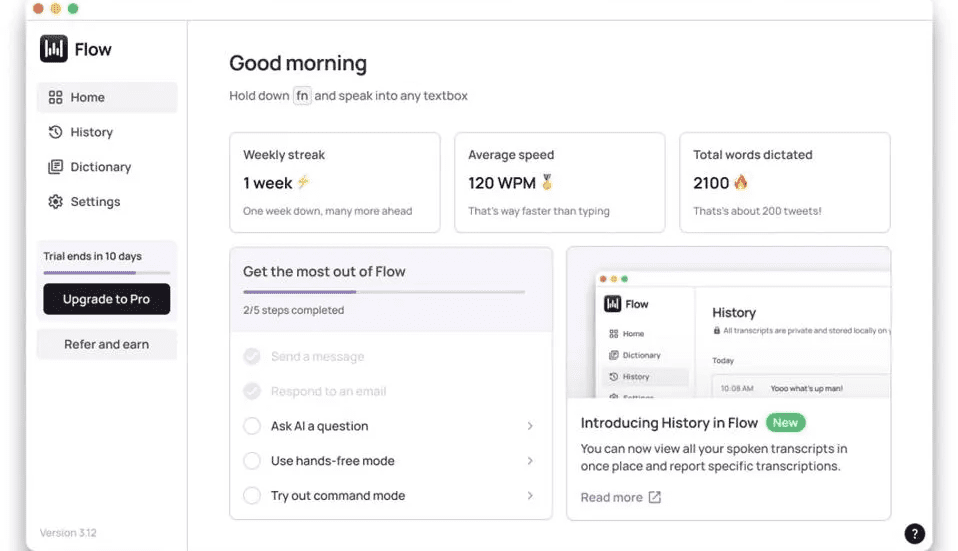
Wispr Flow is an AI-powered voice-to-text and dictation tool designed to help you write faster by speaking naturally instead of typing. It works seamlessly across any app or text field—from Google Docs and Notion to email clients, Slack, and CMS platforms.
Unlike traditional speech-to-text software that simply transcribes words, Wispr Flow uses advanced AI to understand context, intent, and structure. As you speak, it automatically:
- Removes filler words
- Adds punctuation and formatting
- Improves clarity and flow
- Adapts to your writing style over time
The result is text that doesn’t sound “dictated”—it reads like it was thoughtfully written.
Wispr Flow runs quietly in the background on Mac, Windows, and iOS and Android, allowing you to trigger dictation instantly whenever you need to write. For writers, professionals, and teams who deal with constant text input, it turns voice-to-text into a faster, more natural interface for thinking and working.
How Wispr Flow Works (From Voice to Polished Text)
At a high level, Wispr Flow replaces your keyboard with your voice—without forcing you to change how or where you work.
Once installed, Wispr Flow runs in the background and activates whenever you choose to dictate. You simply place your cursor in any text field, start speaking, and the AI handles the rest in real time.
Here’s what happens behind the scenes:
1. Natural Voice Capture
Wispr Flow listens as you speak normally—no need to pause for punctuation or speak in robotic commands. You talk the way you think.
2. AI-Powered Understanding
Instead of raw transcription, the AI analyzes:
- Context and sentence structure
- Intent and tone
- Filler words and redundancies
This allows Wispr Flow to generate text that feels intentional, not dictated.
3. Smart Formatting & Cleanup
As your words appear on screen, Wispr Flow automatically:
- Adds punctuation
- Formats paragraphs and lists
- Cleans up awkward phrasing
4. Voice Commands for Editing
You can also issue commands like:
- “Rewrite this more professionally”
- “Turn this into bullet points”
- “Shorten this paragraph”
All without touching your keyboard.
The experience feels less like dictation—and more like thinking out loud while AI does the writing for you.
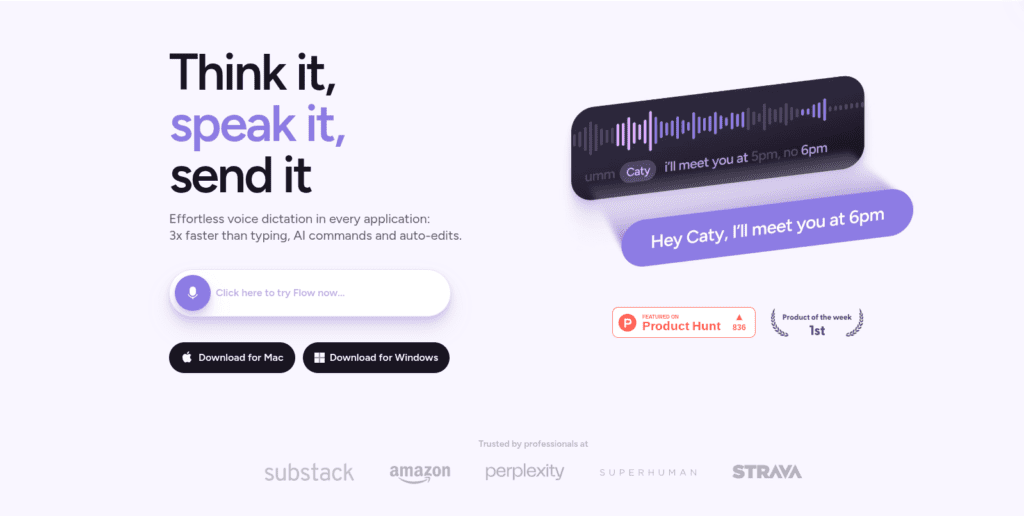
Key Features of Wispr Flow (What Makes It Stand Out)
What truly separates Wispr Flow from basic speech-to-text tools is how deeply it integrates AI into the writing process. It doesn’t just convert peech-to-text—it actively improves what you say.
Here are the core features that make Wispr Flow a serious productivity upgrade:
Universal Voice-to-Text (Works in Any App)
Wispr Flow lets you dictate directly into any application where you can type:
- Google Docs, Notion, WordPress
- Gmail, Slack, WhatsApp Web
- CMS editors, forms, and dashboards
There’s no separate editor or copy-paste step—it works exactly where you’re already writing.
AI Auto-Editing & Smart Formatting
As you speak, Wispr Flow automatically:
- Removes filler words like “um” and “you know”
- Adds punctuation and paragraph breaks
- Improves sentence clarity and flow
The output reads like polished writing, not raw dictation.
Voice Commands for Editing (Command Mode)
Beyond dictation, Wispr Flow responds to natural voice commands such as:
- “Rewrite this more professionally”
- “Make this shorter”
- “Turn this into bullet points”
This allows you to edit and refine content hands-free, saving even more time.
Multilingual Dictation (100+ Languages)
Wispr Flow supports dictation in over 100 languages, making it ideal for:
- Global teams
- Multilingual creators
- Switching languages mid-sentence without breaking flow
Personal Dictionary & Adaptive Learning
Over time, Wispr Flow learns:
- Your preferred phrases
- Names, brands, and technical terms
- Industry-specific language
The more you use it, the more accurate and personalized it becomes.
Together, these features turn Wispr Flow from a simple dictation app into a full voice-first writing system.
Wispr Flow Tutorial: How to Get Started (Step-by-Step)
Getting started with Wispr Flow is intentionally simple. You don’t need a learning curve or a new workflow—the tool adapts to how you already work.
Step 1: Install Wispr Flow
Head to the official Wispr Flow website and download the app for your device. It’s available on Mac, Windows, Android, and iOS, and installation takes just a few minutes.
Once installed, Wispr Flow runs quietly in the background, ready whenever you need to write.
Step 2: Enable Microphone & Permissions
On first launch, Wispr Flow will ask for microphone access and system permissions. This allows it to:
- Listen while you dictate
- Insert text into any active app
- Run smoothly across your system
Granting these permissions is essential for the full experience.
Step 3: Start Dictating Anywhere
Place your cursor in any text field—email, document, CMS editor, or chat app. Activate Wispr Flow using the shortcut or on-screen control, then start speaking naturally.
You don’t need to pause for commas or say “new paragraph.” The AI handles formatting automatically.
Step 4: Use Voice Commands to Edit
Once text appears, you can refine it using voice commands like:
- “Make this more professional”
- “Shorten this paragraph”
- “Turn this into a list”
This turns editing into a hands-free process, saving even more time.
Step 5: Customize for Better Accuracy
Inside settings, you can:
- Add custom words and names
- Adjust language preferences
- Fine-tune formatting behavior
Over time, Wispr Flow learns your style and vocabulary, becoming more accurate the more you use it.
At this point, you’re fully set up—and likely writing faster than ever.

Wispr Flow Pricing & Plans (What You Get at Every Level)
Understanding the Wispr Flow pricing structure helps you decide how much value you get at each tier—whether you’re an individual creator, power user, or team. Wispr Flow uses a tiered subscription model that balances a free entry point with scalable paid options.
| Plan | Price | Best For | Key Features |
|---|---|---|---|
| Flow Basic (Free) | $0 | Casual users & first-time testers | • 2,000 words/week desktop• 1,000 words/week iPhone• Core voice-to-text• Custom dictionary• 100+ languages |
| Flow Pro | ~$12/mo (annual) / ~$15/mo | Power users & daily writers | • Unlimited dictation• AI Command Mode• Priority support• Early features |
| Flow Teams | ~$10–$12/user/mo (annual) | Small teams & collaboration | • All Pro features• Shared dictionary & snippets• Admin controls |
| Flow Enterprise | Custom (Contact sales) | Large orgs & compliance needs | • Enterprise security (SOC2/ISO)• SSO/SAML• Dedicated support |
| Student Discount | ~$6/mo (post-trial)* | Students & academic users | • 3 months free Pro• Discounted monthly rate |
Pricing and availability based on plans shown on the official Wispr Flow pricing page. Exact pricing can vary by billing cycle and region.(wisprflow.ai/pricing)
Real-World Use Cases
One of the biggest reasons Wispr Flow stands out is how well it adapts to real workflows. This isn’t just a dictation app—it’s a voice-first productivity layer that fits multiple professions.
Bloggers & Content Creators
For writers, speed and flow matter. Wispr Flow enables AI dictation for writers who want to capture ideas instantly without breaking creative momentum.
- Draft blog posts, newsletters, and scripts by speaking naturally
- Turn rough voice notes into structured paragraphs
- Edit content hands-free using voice commands
Creators often report finishing drafts in a single sitting because voice typing removes friction.
Developers & Tech Teams
Developers may not dictate code line by line, but Wispr Flow shines for:
- Writing documentation and READMEs
- Explaining logic and system designs
- Drafting commit messages and comments
It’s especially useful during ideation, reviews, and async communication, where voice typing productivity saves time.
Sales & Customer Support
Sales reps and support agents live in inboxes and CRMs. Wispr Flow helps them:
- Respond to emails and tickets faster
- Maintain consistent tone across messages
- Reduce typing fatigue during long shifts
Speaking responses instead of typing can dramatically improve response speed and consistency.
Students & Educators
Students use Wispr Flow to:
- Take lecture notes in real time
- Draft essays and assignments faster
- Capture thoughts during research
Educators benefit by dictating feedback, lesson plans, and emails—saving hours each week.
Accessibility & RSI Users
For users with repetitive strain injuries (RSI), mobility challenges, or chronic pain, Wispr Flow offers a practical alternative to typing.
- Reduces physical strain
- Enables longer work sessions without fatigue
- Makes digital work more accessible
This is one of Wispr Flow’s most meaningful advantages.
Wispr Flow Pros and Cons (Trust Builder)
No tool is perfect. Here’s a balanced look at the strengths and limitations based on this Wispr Flow review pros cons analysis.
Pros
- 4× faster than typing, especially for long-form writing
- Works across any app or text field
- AI automatically cleans, formats, and improves your writing
- Natural voice commands reduce editing time
- Learns your vocabulary over time
Cons
- Cloud-based processing, which may concern privacy-focused users
- Advanced features like AI Command Mode require a Pro plan
- Not designed for offline-only workflows
Overall, the benefits strongly outweigh the drawbacks for most users—especially those who write daily.
Wispr Flow vs Alternatives
If you’re comparing tools, this section addresses buyer-ready intent around Wispr Flow vs alternatives.
Wispr Flow vs Traditional Dictation Tools
Traditional dictation apps focus on word-for-word transcription. Wispr Flow goes further by:
- Understanding context and intent
- Formatting text automatically
- Offering voice-based editing commands
The result feels like AI-assisted writing, not raw transcription.
Wispr Flow vs Offline Voice Typing
Offline voice typing tools prioritize privacy but often sacrifice:
- Accuracy
- Context awareness
- Editing intelligence
Wispr Flow’s cloud-based AI delivers significantly better output quality and usability for professional work.
Why Wispr Flow Wins for Productivity
Wispr Flow isn’t just faster—it’s smarter. By reducing typing, editing, and formatting time, it creates a true productivity multiplier, especially for knowledge workers.
Is Wispr Flow Worth It in 2026? (Verdict)
So, is Wispr Flow worth it in 2026?
Who Should Use It
- Writers, bloggers, and content creators
- Professionals who write emails, docs, or messages daily
- Teams focused on speed and efficiency
- Users looking to reduce typing fatigue
Who Should Skip It
- Users who require fully offline processing
- Those who rarely write more than a few lines per day
Final Recommendation
If writing is a core part of your work, Wispr Flow is not just worth trying—it’s hard to replace once you experience voice-first productivity. The free tier makes it easy to test, and the Pro plan delivers clear ROI for serious users.
Verdict: Wispr Flow is one of the most practical and impactful AI productivity tools available today—and a strong upgrade from traditional typing in 2026.